
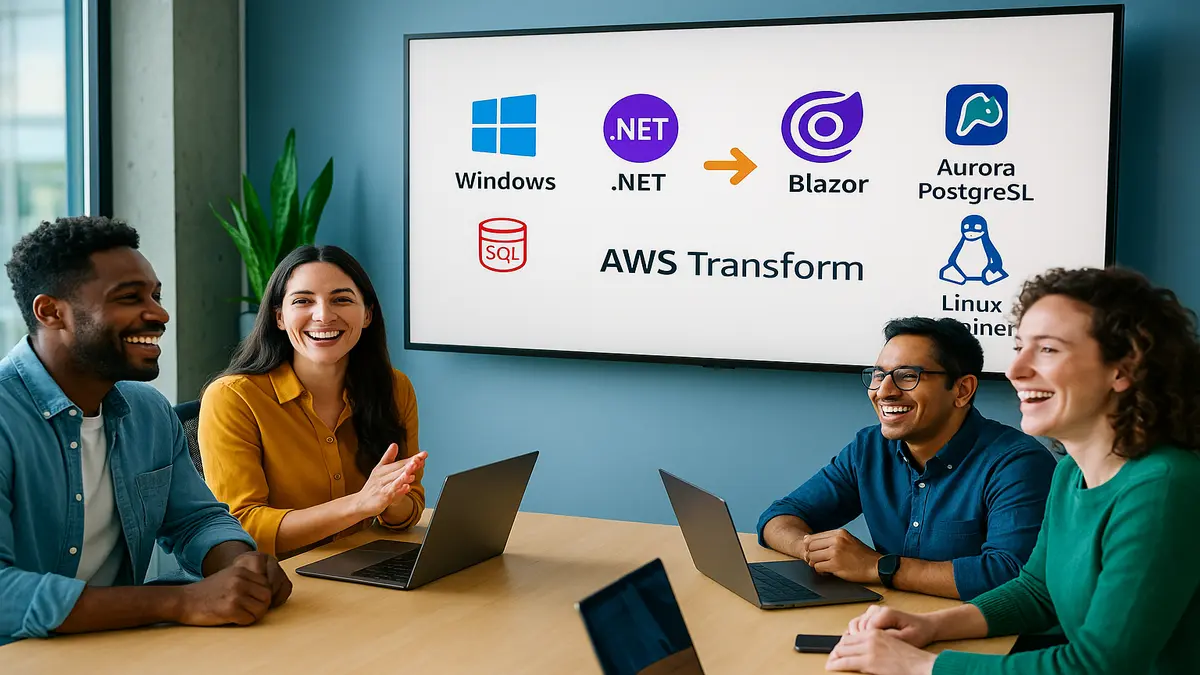
You’re sitting on a pile of Windows apps that work… until they don’t. Licenses stack up, timelines slip, and upgrades feel like rewiring a plane mid‑flight. Here’s the twist. You can modernize full Windows stacks 5x faster and cut costs 70%. And you can do it without stitching 14 tools and herding 6 teams.
AWS Transform just launched a full‑stack Windows modernization agent that runs the show. It coordinates .NET code, UI frameworks, SQL Server databases, and deployment targets in one workflow. Instead of months of meetings and migration bingo, you get a clear plan. Automated changes, and a simple path to cloud‑native.
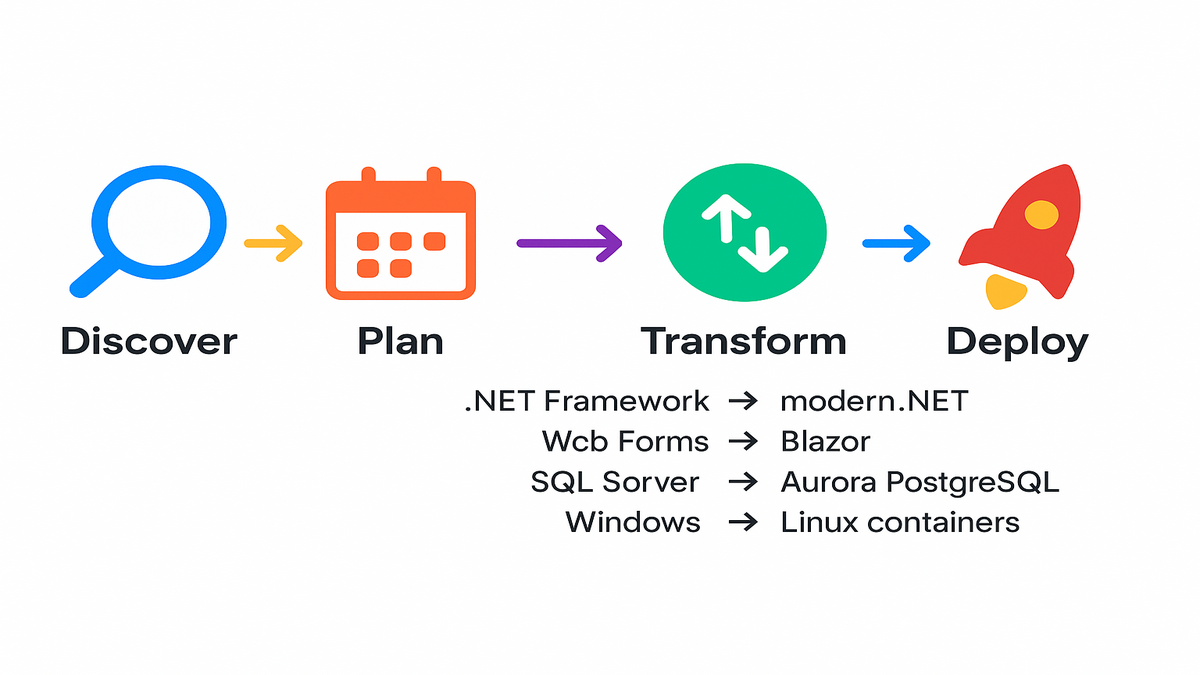
If your roadmap says “modernize 200 apps by 2027,” this is the shortcut. The agent scans repos, translates SQL Server to Aurora PostgreSQL, and ports .NET Framework to modern .NET. It swaps Web Forms for Blazor, updates EF and ADO.NET calls, and deploys to Linux containers. It tracks everything with audit‑ready commits. It’s coordinated modernization, minus the chaos.
TL;DR
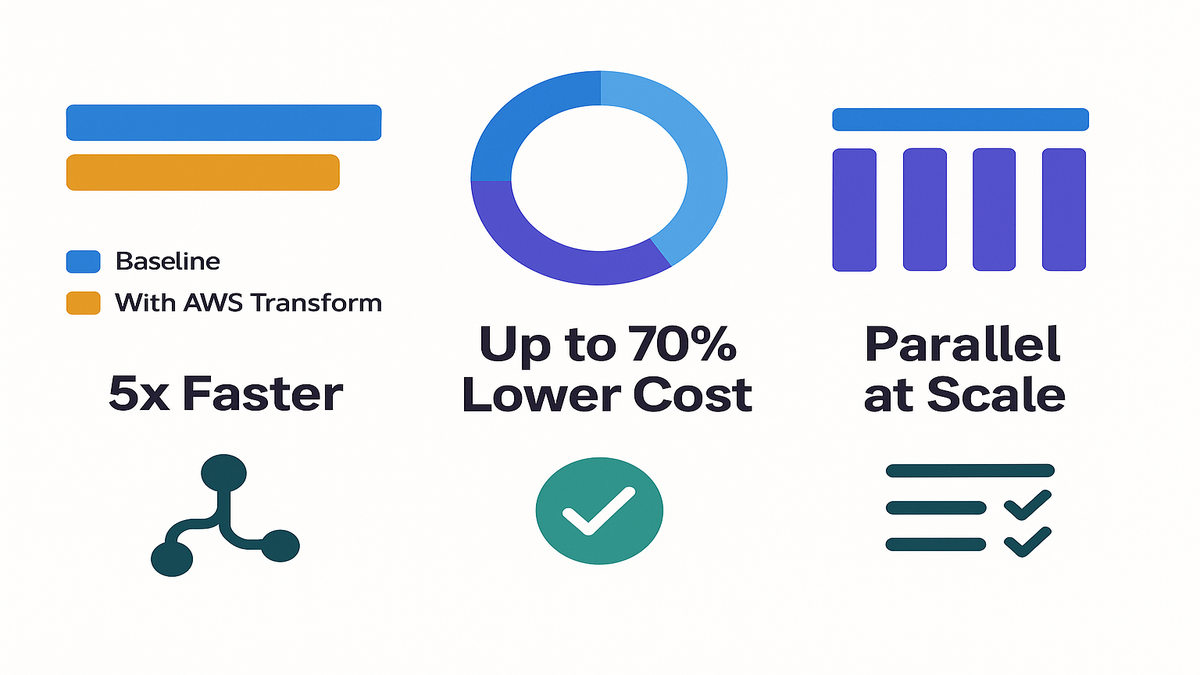
- Transform Windows apps 5x faster with an AI agent handling code, database, UI, and deployments.
- Cut costs up to 70% moving from Windows and SQL Server to Linux and Aurora PostgreSQL.
- Run hundreds of transformations in parallel with audit trails and rollback‑safe branches.
- Use pre‑built agents for Windows, VMware, and mainframe—or define custom transformations.
- Start in us‑east‑1 with documentation, workshops, and CI/CD‑friendly CLI triggers.
If you’ve tried modernizing and got stuck in dependency limbo, you’re not alone. One workflow that keeps app code and database changes in sync is huge. It’s the difference between endless handoffs and shipping real upgrades.
Why Your Windows Portfolio Drags
The fragmentation tax
Modernization stalls when you split code, database, UI, and deployments into silos. A common stack has .NET Framework apps, Web Forms UIs, Entity Framework, and SQL Server on EC2 or RDS. Each part needs a specialist. Every change ripples across layers, so coordination becomes the bottleneck. That’s how multi‑year programs start.
Teams burn 20–30% of dev cycles on repetitive modernization tasks. Exactly the kind of work an AI agent can standardize and automate. Your real blocker isn’t one tech. It’s the orchestration burden across all of them.
Then add real‑world friction. Branches freeze while database work lags, and tests miss the right SQL version. Sprints get derailed by one more stored proc nobody mapped. Now multiply by 50 apps. That’s your fragmentation tax.
Typical time sinks you can offload:
- Framework and SDK version bumps across dozens of repos
- EF and ADO.NET query rewrites and connection string updates
- Schema and data type conversions between SQL Server and PostgreSQL
- Containerization and base image alignment for .NET apps
- Environment setup, health checks, and deployment plumbing
A coordinated answer
AWS Transform’s Windows modernization agent flips the script for real. It discovers .NET repos on GitHub, GitLab, Bitbucket, and Azure Repos. It maps dependencies, analyzes SQL Server on Amazon EC2 or Amazon RDS for SQL Server, and builds a joint plan. The app and database are treated as one unit. Then it applies changes in sync: .NET Framework to cross‑platform .NET, Web Forms to Blazor, EF and ADO.NET rewrites, and SQL Server translation to Aurora PostgreSQL. Finally, it deploys to Linux containers.
First‑hand example: imagine a .NET 4.7 Web Forms app tied to SQL Server 2016. Instead of manual ports, hunting EF queries, and queuing database work later, the agent links it all. It rewrites code and SQL together, updates connection strings, and ships a validated branch for Amazon ECS. Less whack‑a‑mole. More throughput.
This approach also de‑risks change, a lot. When UI, service code, and database changes land together, you test one branch. Not five. If a T‑SQL nuance or a Web Forms control needs love, you catch it fast. It’s right next to the related code in one place.
Inside the AI Agent
Discovery and analysis
The agent scans your source repos and live databases for a full map. It identifies framework versions, third‑party packages, ADO.NET and Entity Framework patterns, and stored procedures. It also spots performance hot spots in SQL Server. The dual‑layer view shows which code paths hit which tables. That’s critical when you move to Aurora PostgreSQL.
It analyzes sources in GitHub, GitLab, Bitbucket, and Azure Repos. Databases can run on EC2 or Amazon RDS for SQL Server. The output is a reality‑based blueprint. What you have now, and how to get cloud‑native.
Pro tip: feed it real workload insights. Slow query logs, connection patterns, and high‑traffic endpoints help shape the plan. The more accurate the picture, the fewer surprises later.
Edge cases to flag early:
- Dynamic SQL built at runtime that may not translate cleanly
- SQL Server‑specific features like SQL CLR or Service Broker
- Cross‑database joins or linked servers
- Legacy authentication tied to Windows or domain policies
Intelligent transformation planning
Based on findings, the agent proposes an editable plan you can shape. Move .NET Framework to modern .NET, convert Web Forms to Blazor, and refactor EF and ADO.NET calls. Translate SQL Server schema, functions, procs, and queries to PostgreSQL syntax. You review, tweak, and approve. Guardrails keep app and database changes in lockstep.
Plans typically include:
- Change sets grouped by feature or bounded context
- Risk labels for tricky conversions like large stored procedures
- Testing guidance with suggested smoke and integration tests
- Deployment targets and a rollback strategy
You choose what runs automatically and what needs human approval. Think of it like your modernization backlog. Auto‑generated and sized for execution.
Code database and deployment
Transformations include:
- Application: cross‑platform .NET, UI migration to Blazor, and EF or ADO.NET updates.
- Database: schema and code conversion to Aurora PostgreSQL, with data type and constraint adjustments. Plus performance tuning.
- Deployment: commits to a new branch with an audit trail, then deploys to Linux containers on Amazon ECS or Amazon EC2.
Validation runs confirm behavior. If something breaks, you’ve got a rollback‑safe branch ready.
First‑hand example: an inventory app with 80 EF queries and 20 stored procedures. The agent flags T‑SQL patterns needing rewrites, then converts them to PostgreSQL. It updates EF mappings and suggests container sizing. You green‑light the plan. It executes, and you test on ECS with feature flags.
On deployment, expect smart defaults. Base images for modern .NET on Linux, health check endpoints, and container parameters. For database cutovers, test in a staging Aurora PostgreSQL cluster first. Blue or green and canary patterns help you move safely.
When to pause for human review:
- Massive stored procedures with complex business logic
- High‑frequency queries where small changes could affect performance
- Any feature tied tightly to Windows‑only components
The Business Math
5x faster timelines
AWS Transform reports up to 5x faster versus manual, stepwise migrations at scale. Especially when you modernize hundreds of apps in parallel. Standardized, coordinated pipelines beat bespoke sprints per app.
Where the speed shows up:
- No waiting on “database later” because code and schema advance together
- Automated refactors like framework bumps and EF changes that ate full sprints
- Fewer meetings and handoffs because one plan guides work across teams
If your average modernization took 12 weeks end‑to‑end, you can compress time. Run more in parallel, reduce drift, and kill duplicate toil.
Lower costs
Moving from Windows and SQL Server to Linux and Aurora PostgreSQL cuts licenses. It often improves density too. AWS notes up to 70% lower operating costs in many cases. Linux containers on ECS or EC2 usually need fewer resources than Windows. Aurora’s storage and compute model keeps spend tight.
Savings show up across lines:
- License reduction by shifting off Windows Server and some database editions
- Better bin‑packing with Linux containers on ECS or EC2 Auto Scaling
- Managed operations with Amazon Aurora that offload patching and scaling
Layer in Savings Plans or Reserved Instances where they fit your workload. You can stack gains without losing performance.
Parallelization beats heroics
The agent can run hundreds of transformations at once. Skip the heroic, sequential slog. You orchestrate a portfolio instead. Automation also cuts execution time by 80% or more on repetitive tasks. Think SDK bumps, EF rewrites, and schema translations.
Practical scaling tips:
- Batch apps by risk and shared dependencies
- Cap concurrent runs to match CI and test capacity
- Set a weekly rhythm: plan review Monday, runs midweek, merges Friday
Quick ROI thought experiment. If you spend $2M yearly on legacy stacks, what then? A 50% cut in Year 1 from licenses and infra plus 5x faster velocity can cover the program. It frees capacity for features. As AWS puts it, redirect talent from maintenance to innovation.
Beyond Windows
Specialized AI agents
This isn’t a one‑trick agent, not even close. AWS Transform provides specialized AI agents:
- Full‑stack Windows agent for .NET and SQL Server
- Mainframe modernization agent
- AWS Transform for VMware infrastructure transformation
- Runtime and SDK upgrade agents for Python, Node.js, Lambda, AWS SDKs, and Java 8→17 with Gradle or Maven
If you’ve been googling “what specialized ai agents does aws transform deploy to automate complex tasks,” this is the lineup. Each one targets a different legacy domain.
Why this matters. Modernization rarely stops at one platform. After clearing Windows app debt, you’ll find aging VMware templates. Or SDK drift. Maybe mainframe workloads you’ve been side‑stepping for years. Agents tailored to those keep momentum high.
Custom recipes
Out of the box, you get transformations for Python and Node runtimes. Lambda function patterns, AWS SDK updates across languages, and Java upgrades to 17. No build tool drama whether you’re on Gradle or Maven.
For org‑specific needs, describe changes in plain language. Attach reference docs and code samples. Let the agent learn the pattern and generalize. You can trigger autonomous runs with a one‑line CLI command. Perfect for CI and CD pipelines.
First‑hand example: standardize logging across 200 services without burning sprints. Provide the spec once. Set the command in your pipeline. The agent rolls it out consistently—code, config, and tests.
What to include in your spec:
- Clear before and after code examples
- Naming conventions and lint rules
- Config and secrets handling
- Test expectations for unit and integration
The Operating Model
Monitor approve repeat
During execution, you see real‑time worklogs and can chat with the agent. Ask what it’s changing and why. Every change lands in a new branch with diffs to review. You test and merge, keeping human‑in‑the‑loop approvals.
Tie this to your process. Code owners for critical paths, PR templates that call out migration risk, and change windows for prod merges. The goal is speed with discipline.
Validation you can trust
Post‑transform, deploy to Amazon ECS or EC2 Linux environments. Then run app and database validation. The agent summarizes what changed, why it changed, and what to test next. Clean handoffs to developers or AI code companions.
Validation checklist:
- Golden‑path user flows like login, search, and checkout
- Database integrity checks and performance smoke tests
- Observability with logs, metrics, and traces confirming normal behavior
- Rollback drills so you’re never stuck
It gets better
The agent learns from your feedback and repo patterns over time. Execution results tune its accuracy as well. It adapts to your naming, linting, and architectural rules. Those gains compound at the portfolio level.
Practical tip: run an AWS Transform workshop to set governance early. Branching, approvals, test coverage, and rollbacks should be clear. Point teams to AWS Transform docs for patterns, limits, and region availability. Start in us‑east‑1, then expand as regions open.
Codify the learnings:
- A style guide for migrations with Do and Don’t patterns
- Reusable test suites for common app archetypes
- A playbook for cutovers across database, app, and config steps
The Halfway Check
- You can modernize full Windows stacks 5x faster with coordinated, AI‑driven plans.
- Cost drops up to 70% shifting from Windows and SQL Server to Linux and Aurora PostgreSQL.
- The agent handles .NET, Blazor, EF and ADO.NET updates, SQL translations, and container deploys.
- Specialized agents cover VMware, mainframe, runtimes, and SDK upgrades.
- Governance stays tight: new branches, human approvals, validation, and continuous learning.
If you’re nodding along, you’re ready for a scoped pilot. Pick an app with a clear owner, a solid test suite, and a real user. Ship one modernization end‑to‑end, then scale.
FAQs
What does AWS Transform actually
It scans repos and SQL Server instances, then builds a plan you can approve. It ports .NET Framework to modern .NET and migrates legacy UI frameworks like Web Forms to Blazor. It refactors EF and ADO.NET data access and translates SQL Server schema, functions, procs, and queries to Aurora PostgreSQL syntax. It deploys to Linux containers on Amazon ECS or EC2 with a branch‑based audit trail.
How is this different
AWS Database Migration Service moves data between databases, not coordinated app plus database code transformation. AWS App2Container helps containerize apps as‑is. AWS Transform’s Windows agent coordinates code, UI, database translation, and deployment in one workflow. App and database changes stay in sync.
Does it replace developers
Nope. It automates repetitive modernization work like framework bumps and query rewrites. It proposes changes for your review. You approve plans, run tests, and focus on higher‑value refactors and features.
Where is it available
The Windows full‑stack agent is available in US East (N. Virginia). Explore the AWS Transform documentation and schedule a workshop. Kick off pilot runs via CLI or CI and CD. Start with one representative app, then scale parallel transformations.
What specialized AI agents
There are dedicated agents for mainframe modernization and VMware infrastructure transformation. Plus pre‑built runtime and SDK scenarios for Python, Node.js, Lambda, AWS SDK updates, and Java 8→17 with Gradle or Maven. You can also author custom transformations with natural language and code samples.
How does it handle
Database transformations include data type mapping, constraint alignment, and performance adjustments for Aurora PostgreSQL. All changes land in a new branch for safe testing. If validation fails, roll back or iterate before merging and deploying.
What if I need
You can still modernize app code and deployments today. Upgrade to modern .NET, move to Linux containers where it fits, and improve CI and CD. When ready, plan the database move to Aurora PostgreSQL with confidence.
How do we manage
Use standard practices. Store connection strings and credentials in AWS Secrets Manager or Parameter Store. Mount them at deploy time, and avoid hard‑coding secrets. It keeps moves secure and auditable.
Windows Modernization Sprint
- Pick one app with SQL Server dependencies and a clear test suite.
- Point AWS Transform at the repo and the source SQL Server on RDS or EC2.
- Review the generated plan and set approvals and guardrails.
- Execute the transformation and validate app behavior and database correctness on ECS or EC2.
- Compare performance and cost on Aurora PostgreSQL, then tune as needed.
- Document lessons, then scale to 10–50 apps in parallel via CLI or CI.
A few extras that make first runs smooth:
- Baseline before changes: response times, error rates, and resource usage
- Keep a change log per app describing what changed, why, and rollbacks
- Involve QA early; they catch edge cases long before production
Here’s the net. Coordinated, AI‑driven modernization removes the fragmentation tax slowing you down. Treat the app and database as one unit, run in parallel, and keep humans in the loop. If Windows upgrades clog your roadmap, this is how you unblock the portfolio. Bank cost savings and redeploy time toward features customers notice.
“In 2025, the riskiest IT move isn’t doing nothing—it’s keeping legacy debt on life support while your competitors automate the escape.”
References
- Amazon Aurora (PostgreSQL‑Compatible Edition)
- Amazon ECS
- Amazon EC2
- Amazon RDS for SQL Server
- AWS Database Migration Service
- AWS App2Container
- Porting Assistant for .NET
- Microsoft .NET (Modern .NET)
- Blazor (ASP.NET Core)
- Entity Framework
- ADO.NET Overview
- GitHub
- GitLab
- Bitbucket
- Azure Repos
- VMware Cloud on AWS
- AWS Mainframe Modernization
- AWS Secrets Manager
- AWS Savings Plans
- Amazon Aurora I/O‑Optimized
- AWS Prescriptive Guidance for SQL Server to Aurora PostgreSQL
- Windows containers on Amazon ECS
- .NET containers on Linux (Microsoft docs)