
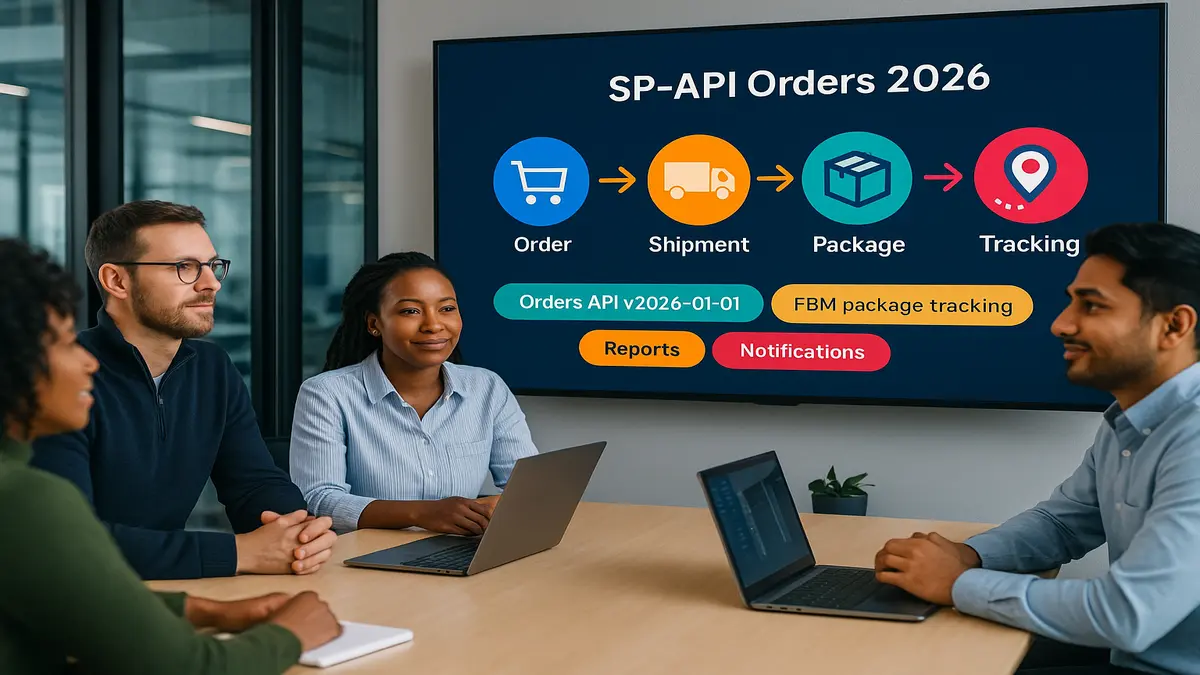
You’re burning time and money chasing order data. Too many endpoints, endless polling loops. Missing FBM tracking. Fun, right?
Here’s the flip. With Orders API v2026-01-01, you pull full order details in one clean request. It now includes package-level FBM tracking. Pair it with reports plus notifications, and you slash redundant GETs by a lot. You also get richer shipment data than you had before.
Staring down 2026’s metered SP‑API pricing? This shift isn’t optional. It’s your margin.
You’ll see what changed, why it matters, and how to migrate without breaking your stack. Plus, simple workflows to move tracking data from Order to Package to Carrier. And real patterns to keep fees low and throughput high.
This isn’t theory. It’s a practical plan you can ship this quarter. With guardrails, fallbacks, and a cost model that won’t ambush you later. If your team is tired of duct-taping reports, this is your path off the treadmill.
Expect straight talk, a few strong opinions, and just enough detail to build with confidence. Keep your coffee close.
TLDR
- Orders API v2026-01-01 surfaces FBM package tracking natively—no more report hacks.
- Use reports + ORDER_CHANGE notifications for bulk syncs; avoid constant GET polling.
- includedData lets you fetch only what you need, trimming payloads and costs.
- Expect 2026 metered fees; optimize now to prevent surprise overages.
- Build a tracking workflow with Orders + Shipping APIs as a fallback.
Before we dive in: the goal is fewer moving parts, faster support responses, and lower API bills. You’ll keep the precision of Orders for single-order views. You’ll use reports and notifications to handle the bulk work. That combo gives you speed and scale—without the “GET storm” most stacks suffer today.
What Actually Changed
The headline upgrade
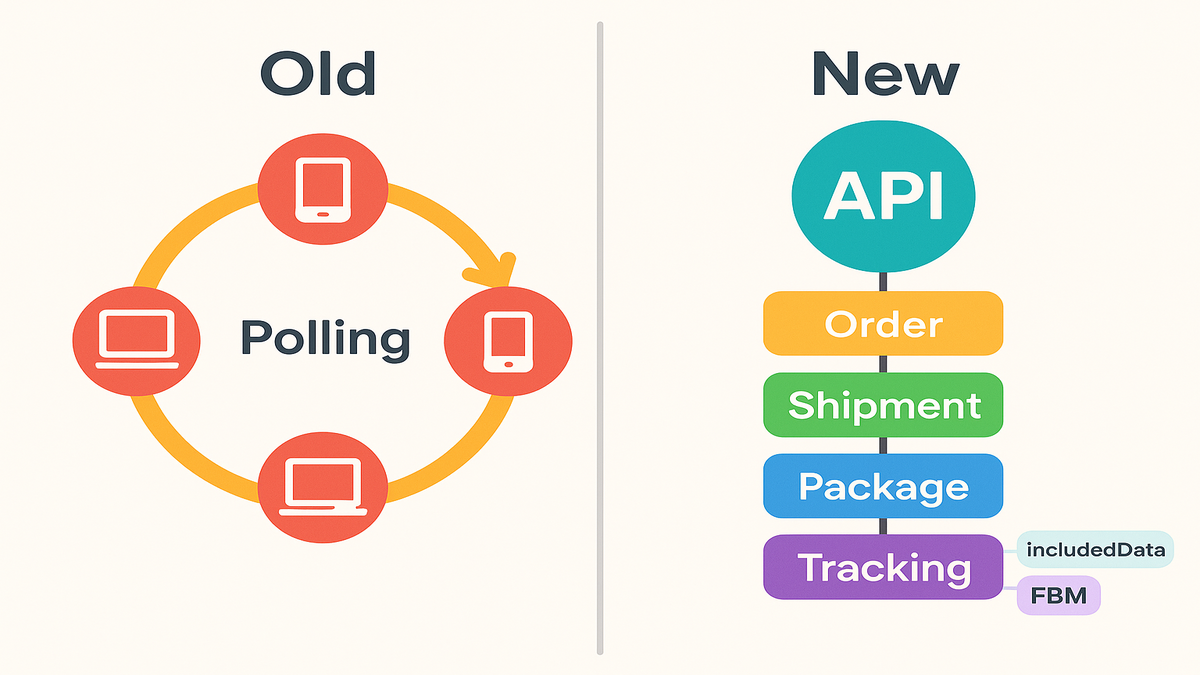
Orders API v2026-01-01 adds package-level tracking for FBM orders. That’s the feature developers chased in forum threads for years. Instead of detouring through flat-file reports or checking Seller Central manually, you request order and shipment details in one pass.
What this means for you:
- Fewer moving parts: less glue code across multiple endpoints.
- Cleaner data model: order → shipment → package → tracking number, carrier, status.
- Faster support ops: give customers real tracking without bouncing across tools.
In practice, most teams juggled three flows. Orders for basics, a report export for tracking, and a Shipping call for enrichment. Now, in most cases, the Orders call covers it. Keep Shipping for enrichment edge cases, like service codes or missing carriers. Not as your main path.
Pro tip: Model packages as first-class records tied to shipments. You’ll unlock multi-package UIs and better exception handling. You also get cleaner analytics, like “how many packages delivered today,” not just “how many orders.”
includedData for precision pulls
The new includedData parameters let you compose your payload. Include shipments, addresses, buyer info, promotions—what you need, nothing you don’t. You get smaller responses, quicker parses, and fewer wasted calls. You stop downloading the kitchen sink just to grab a fork.
Practical examples of “just enough”:
- Customer care view: includedData=shipments,packages,addresses for a single-order lookup.
- Analytics job: includedData=promotions,orderItems for a batch enrichment.
- Warehouse sync: includedData=shipments,packages to confirm labels and statuses.
A simple rule: start with the smallest includedData set that answers your screen or job. Then add fields as needed. You’ll cut parse time and trim bytes over the wire. That adds up under metered pricing.
FBM gets a big win
FBM was historically the “you’re on your own” zone for tracking data. The new version closes that gap. You can surface tracking from your own labels, not just Amazon Buy Shipping. That’s crucial if you run multi-carrier or hybrid fulfillment.
First-hand example: A mid-market seller moved to v2026-01-01 and dropped a three-step tracking pipeline. They went from Orders + Shipping + manual report to a single Orders request for 82% of cases. They now call Shipping APIs only when carriers need extra context, like service codes.
Expert note: “Surface the smallest payload that answers the business question. includedData is your throttle,” a senior solutions architect told us after an internal benchmark review.
Reality check: you won’t magically get tracking if no one generated a trackable label. Or if a carrier isn’t supported. That’s where a Shipping fallback and warehouse label metadata come in. Treat Orders as the source of truth. Treat Shipping as enrichment when truth is incomplete.
Cost lens (example math): If you did 3 GETs per order to assemble tracking and handle 50k orders daily, that’s 150k calls. If one composed Orders call now solves 80% of those, you just avoided 120k+ calls per day. While improving data consistency.
From Polling To Push
Reports notifications
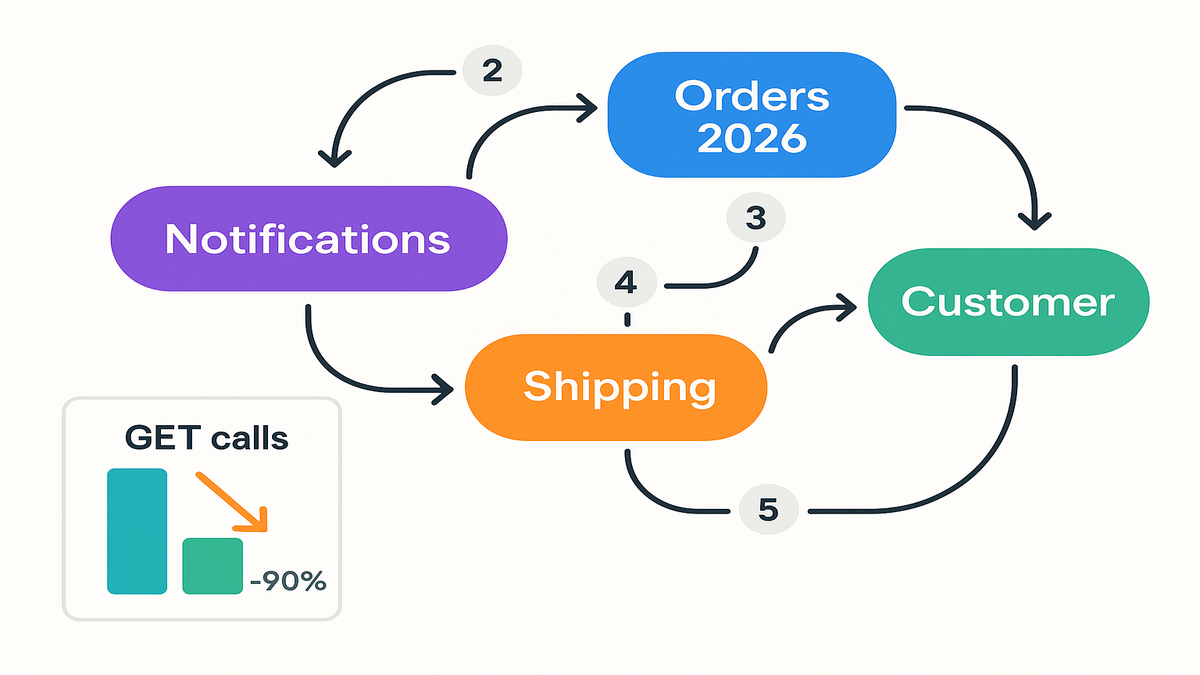
When you need thousands of orders, hammering getOrders or getOrder is a tax. It’s a big one under metered pricing. The smarter pattern is:
- Subscribe to ORDER_CHANGE notifications for event-driven triggers.
- Request Order-type Reports covering a time window, like last updated.
- Ingest at scale, then reconcile deltas via Orders for targeted lookups.
This shaves GET calls by 90–99% in heavy pipelines. One report payload can replace thousands of individual pulls.
Think of the trio like this:
- Notifications = “a change happened; pay attention.”
- Reports = “here’s the bulk list of everything that changed.”
- Orders = “show me the exact details for this one order I care about now.”
Practical setup tips
- Pin your dataStartTime and dataEndTime when creating reports. Devs report cancellations when time windows are missing or too broad.
- Use includedData to top off what reports don’t include, like certain customer or package details. Reports deliver breadth; Orders gives surgical depth.
- Avoid dev/prod mismatches. Sandbox behavior and throttles can differ. Validate volumes in staging that mirrors real traffic closely.
First-hand example: A SaaS tool syncing about 1M orders a month shifted to reports plus notifications. They cut monthly GETs by millions. Their ops kept Orders calls for exceptions and live-customer lookups only.
Quote from a marketplace architect: “Notifications tell you when to care; reports tell you what changed at scale. Orders is the scalpel.”
Want to see how high-volume teams executed this shift? Explore our Case Studies.
Implementation sketch (conceptual):
- Subscribe to ORDER_CHANGE and route events into a durable queue. Dedupe by orderId plus changeVersion.
- Nightly and hourly, schedule an Order-type Report with pinned start and end. On completion, store the file, checksum it, and process idempotently.
- For each order in the report, call Orders only if your model is missing required includedData details.
- Emit metrics: events received, report latency, Orders lookups, and avoided GETs. It helps finance see the win.
Cost sanity check (example):
- Old path: polling 50k orders daily at 2–3 calls each equals 100k–150k GETs.
- New path: one report daily plus Orders lookups for, say, 10% exceptions. That’s thousands of calls, not hundreds of thousands.
Gotchas to avoid
- Time zones drift. Pick one canonical time zone, like UTC, and normalize windows.
- Duplicate processing. Notifications can replay. Use idempotency keys and safe reapply updates.
- Backfill storms. When backfilling months, throttle enrichment calls and batch report ingestion.
- Storage costs. Archive raw report files with lifecycle policies to balance audit and spend.
Build The Tracking Flow
The working workflow
You want consistent tracking across FBM. Here’s a simple, pragmatic flow:
1) Query Orders API v2026-01-01 with includedData for shipments and packages. 2) If tracking numbers and carrier exist, hydrate your model and notify the buyer. 3) If data is partial, like tracking without carrier, call Shipping APIs to enrich. 4) If you use Amazon Buy Shipping, match label IDs to tracking for near real-time. 5) Persist a package timeline: created, labeled, accepted, in-transit, delivered.
Add two small touches that pay off big:
- Show the last scan event in your UI, like “Arrived at local facility, 8:42 PM.” Simple, but it deflects tickets.
- Provide one “Track package” entry that expands to per-package details. Most want the headline; power users want drill-down.
Data hygiene matters
- Normalize carrier codes. Warehouse says “UPS Ground,” API says “UPS,” CRM expects “ups.” Standardize once, everywhere.
- Store the raw API payload. When carriers change schemas or Amazon tweaks fields, you’ll debug faster.
- Emit idempotent updates. If notifications replay or you reprocess a report, don’t duplicate emails.
Extra guardrails:
- Validate tracking formats by carrier to catch fat-fingered labels early.
- Keep a package state machine, like created → labeled → in_transit → delivered. Disallow illegal jumps to catch bad data.
Example mapping
- Orders payload: orderId, fulfillmentChannel = MFN, shipments[packages[trackingNumber, carrier, shipDate, status]].
- Shipping fallback: resolve carrier or service if Orders lacks one.
- Customer UI: show latest package status; collapse multiple packages into a single view.
First-hand example: After moving to Orders v2026-01-01, a 3PL cut “where’s my order?” tickets by 28%. FBM tracking became consistent with their FBA experience.
Quote from an ops lead: “The magic wasn’t more data—it was one trusted source of truth for packages.”
Edge cases to handle gracefully:
- Split shipments: one order, multiple shipments. Keep package status independent; don’t show Delivered until all complete.
- Re-shipments: lost package replaced with a new tracking number. Link the replacement; show both timelines.
- Returns and refusals: if a package is Return to Sender, flag for support. Stop buyer-facing in-transit updates to prevent confusion.
Migrate Without Drama
Start with usage audit
Before you touch code, log current GET calls by endpoint and purpose. You’ll find set-and-forget jobs hammering getOrders every few minutes. Tag them for deprecation or replacement with reports plus notifications.
Add observability now. Count GETs per job, payload sizes, and downstream processing time. The data makes your business case and helps set targets. For example, reduce GETs by 75% without hurting SLAs.
Phase the rollout
- Phase 1: wire up ORDER_CHANGE notifications and confirm delivery. Dead-letter queues help.
- Phase 2: add Order-type Reports for bulk backfills and weekly reconciliation.
- Phase 3: swap your tracking pipeline to Orders v2026-01-01 with includedData. Keep Shipping as fallback.
- Phase 4: kill redundant polling jobs. Watch rate limits and spend for two weeks.
Sample 3-week timeline:
- Week 1: stand up queues, subscribe, validate payloads, and build idempotent processors.
- Week 2: implement report scheduling and ingestion. Backfill a safe window; reconcile with your database.
- Week 3: integrate Orders v2026-01-01 for tracking. Shadow-run, compare results, then cut over.
Guardrails to add
- Circuit breakers: if reports fail or notification backlogs spike, auto-dial back GET frequency.
- Observability: dashboard report latencies, notification lag, and Orders error codes. Alert on drops in tracking fields.
- Schema contracts: snapshot response schemas from sandbox and prod. Pin versions with tests so renames don’t cascade.
Context for 2026: Amazon is moving to metered SP‑API pricing. There’s an annual subscription and tiered monthly GET call fees. If you’re high volume—repricers, PPC managers, multi-store aggregators—optimize now. Prevent bill shock later and shape product pricing before you’re forced to.
First-hand example: One agency’s just-in-case polling of aged orders was 17% of total GETs. They replaced it with a weekly Order-type Report and a single exceptions dashboard.
Quote from a platform PM: “We didn’t lose visibility; we finally stopped paying for it twice.”
Security and privacy checklist:
- Scope includedData to the minimum necessary. Least privilege for PII.
- Encrypt data in transit and at rest. Rotate keys regularly.
- Apply retention policies. Keep PII only as long as needed for business and compliance.
Testing matrix (keep it simple, cover reality):
- Single-package FBM, multi-package FBM, Buy Shipping vs. non-Buy Shipping labels.
- Carrier present vs. missing, re-shipments, returns, canceled orders, address changes.
- Notification replay, report overlap windows, throttled Orders calls.
Halfway Check
- Your default bulk path should be reports plus ORDER_CHANGE notifications.
- Use Orders v2026-01-01 for targeted, rich pulls—especially FBM tracking.
- includedData trims payloads. Only fetch what you’ll use.
- Keep Shipping APIs as a precision fallback for carrier or service enrichment.
- Instrument everything: calls, costs, errors, and schema drift.
Quick self-audit questions:
- Can you show an avoided GETs metric to leadership each week?
- Are your notifications idempotent and your report ingestors safe to replay?
- Does your UI handle multi-package shipments without confusing the buyer?
- Have you set budgets and alerts for API spend so no one learns the hard way?
FAQ
Orders API FBM tracking
Yes, the new version is built to surface package-level FBM tracking where available. If a merchant didn’t generate a trackable label or a carrier isn’t supported, you may need a Shipping fallback.
Replace polling with reports
For bulk syncs, yes. Use ORDER_CHANGE notifications to trigger when to fetch. Use Order-type Reports to pull large time windows efficiently. Keep Orders calls for real-time lookups and exceptions, like a customer care screen.
includedData parameters
They let you request only the segments you need, like shipments or buyer info. Smaller responses mean faster processing and fewer wasted bytes. Useful for both speed and cost control.
Retrieve tracking carrier details
Use the Shipping APIs as a fallback. If you used Amazon Buy Shipping, map label IDs to tracking. Otherwise, enrich from your warehouse label metadata, then normalize carrier codes in your system.
Official schedule or PDF
Amazon maintains living web docs for SP‑API references. Bookmark Orders, Reports, Notifications, and Shipping references. Export pages to PDF if needed. For timelines, follow official docs and changelogs, not third-party summaries.
API conference 2026 search
Those are unrelated search terms. For authoritative SP‑API updates and timelines, rely on Amazon’s developer docs and official channels.
Throttling and retry tips
Use exponential backoff with jitter and respect rate-limit headers. Add a circuit breaker that reduces on-demand Orders calls if your backlog rises. Always log response headers; they help tune your client.
includedData break older consumers
It shouldn’t. Your call defines what you receive. The risk is internal. If another service expects fields you didn’t include, set contracts so each consumer requests what it needs.
PII and compliance
Use the minimum includedData for each job. Encrypt at rest and in transit. Apply retention limits. Review Amazon’s data protection guidance and align your handling of addresses and buyer info.
Ship It
- Map current calls. Quantify GET volume by endpoint and flag polling jobs.
- Enable ORDER_CHANGE notifications. Verify delivery and retries.
- Add Order-type Reports for last-updated windows. Pin start and end times.
- Implement Orders v2026-01-01 with includedData for shipments and packages.
- Build the tracking fallback: Shipping APIs for carrier and service enrichment.
- Normalize carriers, make updates idempotent, and archive raw payloads.
- Stage rollout. Shadow-run in prod, compare results, then deprecate polling.
- Observe and tune dashboards for report latency, notification lag, and error spikes.
You’re not just adopting a new endpoint—you’re upgrading your operating model. Orders v2026-01-01 gives you the missing piece for FBM tracking. Reports plus notifications give you the scale play for 2026’s pricing world. Put them together, and you’ll spend less, ship smoother, and answer customers faster.
The meta-play: treat Orders as your surgical API, Reports as your bulk loader, and Notifications as your scheduler. If you build it that way, 2026 won’t be a tax—it’ll be a tailwind.
Need help operationalizing alerts, schema diffs, and cost controls? Check out our Features.
References
- Selling Partner API Developer Guide
- Orders API reference
- Reports API reference
- Reports API use-case guide
- Notifications API reference
- Notifications API use-case guide
- Shipping API v2 reference
- Data Protection Policy for SP‑API
“The cheapest API call is the one you don’t make.”