
You ship fast… until a runtime deprecates and your deploys face-plant. That’s the trap we all fall into sooner or later. Good news—this cycle is predictable if you watch for it. AWS just refreshed the tooling and clarified the docs for runtimes. Get your house in order now, and you’ll skate the next change.
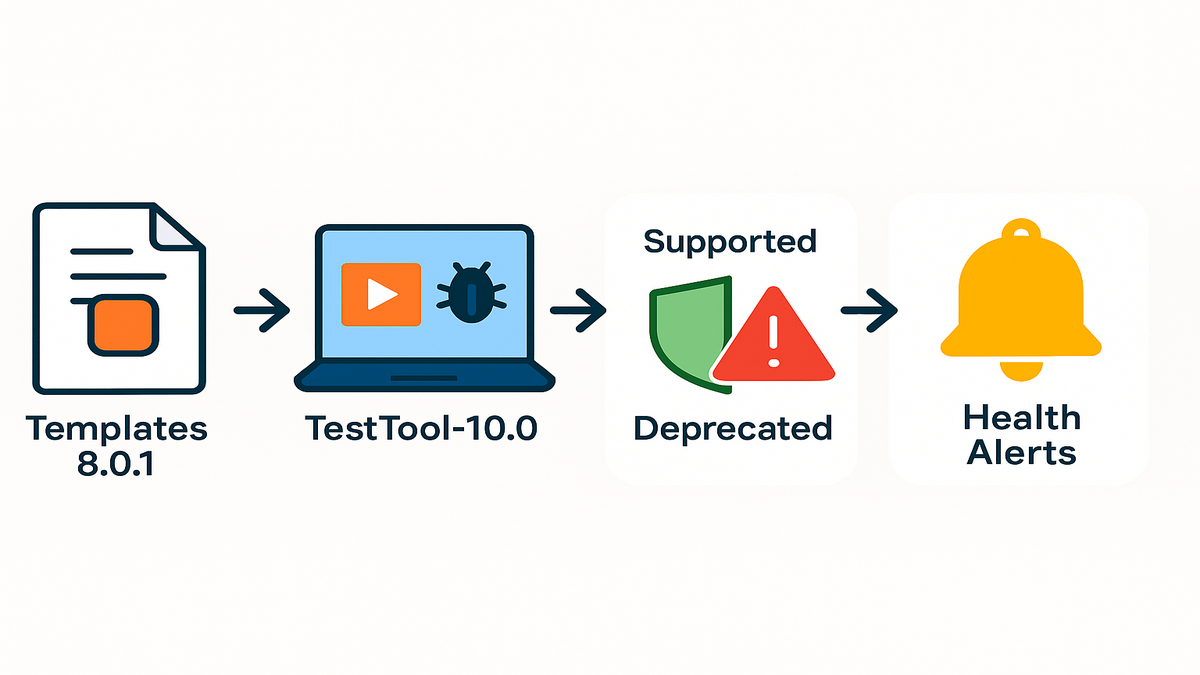
The headline is simple. Amazon.Lambda.Templates 8.0.1 fixes .NET 10 targeting snags for real. Chatter around Amazon.Lambda.TestTool-10.0 is heating up for local runs. The AWS Lambda runtime docs doubled down on lifecycle reality. Supported runtimes get automatic security patches; deprecated ones don’t. Translation: your future downtime is optional if you plan with AWS Health Dashboard.
Your move is simple: know what changed, and understand the lifecycle rules. Audit your versions, then upgrade with a repeatable playbook. Do that and you’ll ship faster, not slower, every time runtimes roll.
And one more thing: treat this like mowing the lawn, not a rescue mission. Small, regular passes keep things neat and boring. Let it slide, and you’re whacking weeds on a Sunday. Put guardrails in now—tags, alerts, and canaries. You’ll shift runtime updates from stressful all-hands to a boring, 20-minute chore.
TLDR
- Amazon.Lambda.Templates 8.0.1 resolves .NET 10 targeting issues. Use it to scaffold clean Lambda projects.
- Use Amazon.Lambda.TestTool-10.0 for fast local iterations and fewer deploy-debug loops.
- Supported runtimes get automatic security patches; deprecated ones require your upgrade work.
- Track AWS Lambda runtime versions and plan with AWS Health Dashboard alerts.
- If you care about Node.js 24, watch the official runtimes page before upgrading.
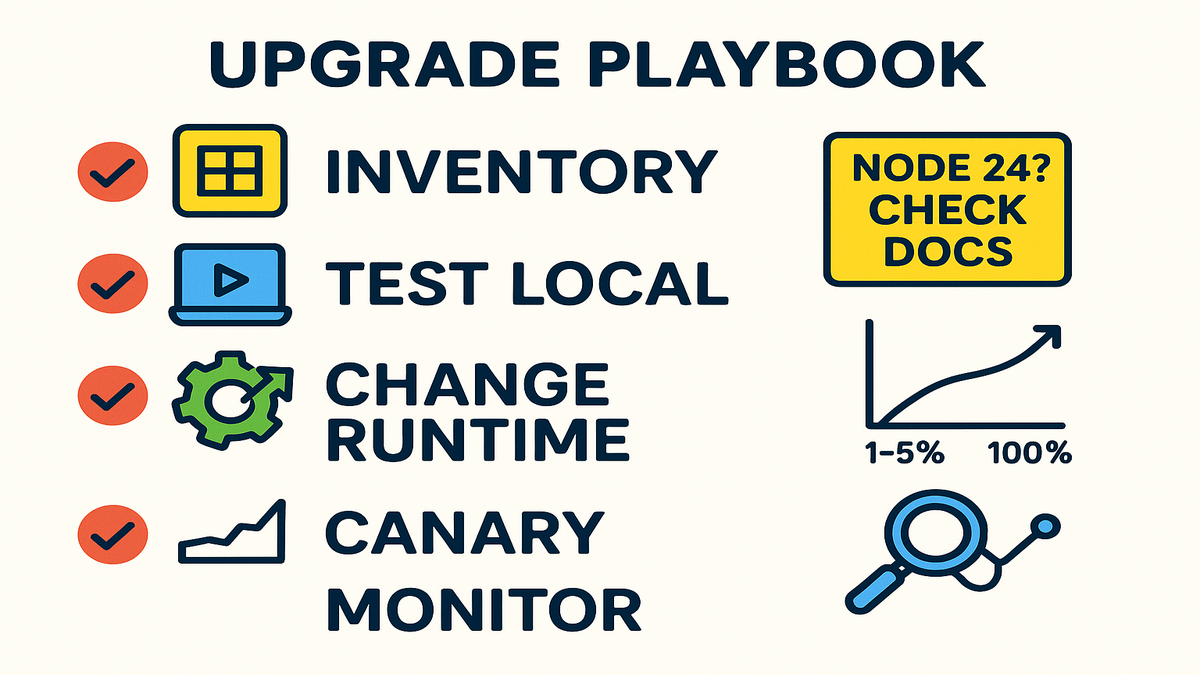
- Upgrade playbook: inventory, test locally, change runtime via console or IaC, canary, monitor, repeat.
What changed
Amazon.Lambda.Templates 8.0.1
The .NET Lambda community pushed for clarity and compatibility, and it finally landed. The Amazon.Lambda.Templates 8.0.1 release fixed .NET 10 targeting issues cleanly. Practically, you get scaffolds that match the current Lambda .NET story. Fewer mismatches, cleaner builds, and less fiddling with SDK and runtime metadata. If you paused new projects because templates dragged you into version limbo, this is your green light.
Link your workflow with the latest templates via NuGet. Keep an eye on the aws/aws-lambda-dotnet repo for fixes and samples. The faster you align scaffolding to actual runtime support, the fewer CI/CD surprises.
What this looks like day to day: new projects ship with sensible defaults. You get the right TargetFramework entries and Lambda-ready layouts that don’t fight builds. You spend less time chasing cryptic warnings and more time writing handlers. Standardizing gets easier across teams since everyone starts from the same base. That base already matches the runtime you plan to use.
Pro tips to adopt fast:
- Standardize the template version in internal docs so new services match your fleet.
- Add a quick create-new-project checklist to your onboarding wiki: template version, runtime target, deployment method.
- Review older .csproj files for drift. Small mismatches in target or packaging become big headaches during upgrades.
Local testing with TestTool-10.0
Local iteration is where speed actually lives. Amazon.Lambda.TestTool-10.0 gives a tight loop to run and debug locally. You avoid full deploys for every change and experiment faster with dependencies. That means stronger feedback and real confidence before you flip a runtime switch in prod.
“Everything fails, all the time.” — Werner Vogels, AWS CTO
When you accept that truth, tools that reduce unknowns aren’t nice-to-haves. They’re insurance. Use the TestTool to harden your upgrade path early.
Local runs do more than catch obvious errors. They help you validate environment assumptions like variables, event shapes, and logging. You can simulate API Gateway events, SQS batches, and SNS messages easily. You’ll see how cold starts, serialization, and dependencies behave under the new runtime. Pair that with pre-prod and you’ve got a two-layer safety net.
Quick setup ideas:
- Keep a small library of production sample events, scrubbed for PII of course.
- Validate both happy-path and ugly inputs like truncations, missing fields, and weird types.
- Log consistently and parseably, key=value style, so you can diff behavior.
Why you care
- Less time wiring templates, more time shipping real value.
- Local test cycles cut regressions before anyone else sees them.
- Clean targeting today makes runtime jumps easier tomorrow.
If you stay disciplined on basics, runtime changes stop being risky. Your templates match reality, your local loop catches foot-guns, and pre-prod canaries confirm behavior under load.
Runtimes 101
Supported vs deprecated (your risk profile)
AWS Lambda’s runtime lifecycle is not ambiguous. Supported runtimes receive managed security patches; deprecated ones do not. That single rule should set your upgrade cadence. If you’re on a supported runtime, AWS does heavy lifting in the background. When a runtime deprecates, you own the upgrade, and the clock starts.
“Supported runtimes get automatic security patches, while deprecated ones require upgrades.” — AWS Lambda runtime docs
Read that again and plan backwards from your worst case scenario. A critical fix lands, but your function stays pinned to an end-of-life runtime.
The takeaway is blunt: don’t wait for a production breakage to nudge you. Once a runtime shows a deprecation date on the official page, start the work. Treat it like an expiring certificate. Book the work, run the playbook, then get back to the roadmap.
Plan with AWS Health
The AWS Health Dashboard surfaces account-level runtime deprecation events with timelines and guidance. Treat those alerts like SLAs your team owns. Wire them to chat or issue trackers, assign owners, and add runbooks. The earlier you see a notice, the calmer your migration goes.
Turn this into muscle memory:
- Create an AWS Health alert rule via EventBridge and route it to on-call.
- For multi-account orgs, centralize Health events and fan them out correctly.
- Document a one-page runbook: what to check, who approves, canary steps, and rollback triggers.
What changes for you
- Supported runtime: patches roll in behind the scenes, and you validate behavior.
- Deprecated runtime: no more patches, so upgrade or accept risk.
- Your job: schedule upgrades during regular sprints, not during an incident.
This mindset helps you say no to risky deferrals. It also helps you say yes to small, boring upgrades.
Where things stand
Check runtime versions now
Don’t guess. Pull your inventory and list every function, runtime, and dependency. Cross-check against the AWS Lambda runtimes page to confirm what’s current. Create a simple matrix with function name, runtime, version, last deploy, and owner. That becomes your truth source when decisions get messy.
Pro move: tag functions with runtime and team owner in tags. It’s easier to route a deprecation notice when metadata isn’t trapped in a spreadsheet.
Make it repeatable:
- Export your function list regularly and store it with platform docs.
- Include Lambda Layers in the inventory since layers can pin older runtimes.
- Track memory sizes and timeouts too, since upgrades can nudge performance.
About Node.js 24
Seeing buzz around 'aws lambda node 24'? Makes sense. Node.js moves fast, and teams want the latest features. But don’t ship off rumors or tweets alone. Before you plan a cutover, verify on the official Lambda runtimes documentation. If it’s listed, you’re good to start evaluation. If not, set a watch and keep your code runtime-agnostic. Then jump when it lands.
A few habits keep you nimble:
- Avoid runtime-specific hacks that lock you in long term.
- Keep bundling simple and transparent so targets can swap easily.
- When a new runtime appears, test with real payloads and a canary first.
Roadmap hygiene
- Establish runtime SLAs, like upgrade within X weeks of a new supported runtime.
- Lock version gates in CI to block deploying deprecated runtimes entirely.
- Add a quarterly runtime review to scan versions, dependencies, and retire dead functions.
If you treat runtimes like product dependencies, not background noise, you’ll stay ahead. You won’t need heroics every time a notice pops up.
Upgrade without drama
Inventory and assess
Start with facts. Export functions, runtimes, memory and time settings, and key libraries. Identify risky edges like native modules, pinned old SDKs, and custom layers tied to versions.
Risk score each function by traffic, blast radius, and complexity. Tackle low-risk, high-confidence wins first to build momentum. Leave the gnarly one for last, but not forever.
Also consider data flow and dependencies:
- Event sources: SQS, SNS, API Gateway, EventBridge, and Step Functions. Each has different failures.
- Downstream calls: DynamoDB, RDS, and third-party APIs. Runtime changes can shift TLS or connections.
- Observability: are logs and metrics consistent enough to compare before and after? If not, standardize.
Test locally then pre prod
Spin up Amazon.Lambda.TestTool-10.0 for local runs and tight loops. Mock inputs from your top production events. Test cold and warm starts. In pre-prod, use the new runtime with realistic traffic patterns if possible.
Baseline metrics before any switch: latency, error rates, and memory. You’ll need those numbers to prove “works on my machine” isn’t lying.
Validation checklist:
- Happy-path requests return the same outputs and status codes every time.
- Error handling behaves consistently, retries and DLQs still work as expected.
- Memory usage and duration don’t spike on typical requests and workflows.
- Startup time is acceptable; watch cold starts on low-traffic functions closely.
Change the runtime safely
Use the AWS Console, SAM, CDK, Serverless Framework, or Terraform—whatever you deploy with. Keep the change small and explicit to reduce surprises. Upgrade helpers like Amazon.Lambda.Templates 8.0.1 reduce misconfig pain. They ensure your project targets the right framework and runtime.
Roll out with a canary starting at 1–5% traffic. Watch CloudWatch metrics and logs, then ramp safely. If you see regressions, roll back fast and iterate.
Guardrails that pay off:
- Use versions and aliases to route traffic during canaries.
- Set alarms on error rates, throttles, and latency percentiles during rollout windows.
- Keep a one-command rollback path documented, one click even better.
Monitor and harden
Watch for memory creep or timeouts with the new runtime under load. Adjust memory and timeout to hit the sweet spot. Capture learnings in a shared doc so the next upgrade runs faster.
Post-upgrade chores:
- Re-run load tests at realistic concurrency to confirm cost and performance.
- Check that logs and metrics still parse correctly in your observability stack.
- Update your inventory with the new runtime and date to close the loop.
Quick pulse check
- Inventory every function by runtime and owner, then tag them in AWS.
- Confirm supported versions on the official Lambda runtimes page today.
- Use Amazon.Lambda.Templates 8.0.1 to align .NET project scaffolds cleanly.
- Iterate locally with Amazon.Lambda.TestTool-10.0 and baseline metrics first.
- Change runtime via console or IaC, then canary and monitor closely.
- Wire AWS Health Dashboard alerts to your team and set runtime SLAs.
Add two more habits while you’re at it:
- Keep a known-good sample payload set for each event source, and test them all.
- Review Lambda Layers during upgrades; an outdated layer can undermine a clean change.
FAQs
Change AWS Lambda runtime
Open your function in the AWS Management Console. Go to Configuration, then General configuration. Choose Edit, select the new runtime from the dropdown, and Save. Redeploy if your workflow requires it. Validate with a test event and check CloudWatch logs right after.
A few gotchas to avoid: confirm the function role, environment variables, and layer compatibility before Save. If you use aliases for traffic shifting, publish a new version. Point the alias to it rather than flipping $LATEST directly.
AWS upgrade runtime automatically
No. AWS patches supported runtimes, but it won’t auto-migrate you to a new major runtime. When a runtime deprecates, you must upgrade explicitly via console or your infrastructure-as-code pipeline.
This separation is good. Your function won’t change under you without a deploy. It also means you need a calendar and a playbook, for real.
Deprecation notice time
Timelines vary by language and version. Always treat AWS Health notices as your source of truth. The safest stance is proactive upgrades, not last-minute scrambles.
Practical policy: schedule runtime reviews quarterly. Aim to finish upgrades before the posted end date. You want buffer for testing, approvals, and canaries.
aws lambda node 24
Don’t assume. Check the AWS Lambda runtimes documentation to confirm support. If Node.js 24 appears as a supported runtime, evaluate and test. If it’s not listed, keep code portable and monitor announcements. Either way, run a structured upgrade when support goes official.
While you wait, keep dependencies updated. Avoid hard dependencies on features not in your current runtime.
Amazon.Lambda.Templates and versions
Templates scaffold projects that align to current best practices and targeting. The 8.0.1 update fixed .NET 10 targeting issues and reduced friction. It helps when building .NET-based Lambdas that match supported runtimes. Runtime availability still depends on AWS Lambda itself. Templates just make it easier to hit the right target when you scaffold.
In short: templates shape your starting point, runtime dictates what runs in production.
Is local testing worth it
Yes. Local testing with Amazon.Lambda.TestTool-10.0 shortens feedback loops and catches incompatibilities. You won’t wait on deployments for every tiny check. Pair it with a staging or pre-prod canary to validate under realistic load.
Think of local as your fast filter and staging as your reality check. Honestly, you want both.
Change runtime in minutes
- Open AWS Lambda Console and select your function from the list.
- Go to Configuration → General configuration, then click Edit.
- Choose the new runtime and confirm against the Lambda runtimes page.
- Save changes and redeploy if your pipeline needs a publish step.
- Run a test event, then check CloudWatch metrics and logs for issues.
- If all green, promote via canary by gradually increasing traffic, and monitor.
Small extras that help:
- Set a temporary alarm on error rate and duration for the first hour.
- Note the function version and time of change in your change log.
Wrap-up
Runtimes are product dependencies, not background noise you can ignore. Treat them that way—template correctly, test locally, watch versions, and upgrade on a rhythm. You’ll avoid incident-driven upgrades and ship with real confidence. The combo of Amazon.Lambda.Templates 8.0.1, Amazon.Lambda.TestTool-10.0, and the official runtime docs covers you. Start with an inventory, wire AWS Health alerts, and move one function at a time. You’ll turn runtime changes from ugh into routine.
If you’re a team lead, pick one service this week and run the playbook. Time-box it to a single sprint task and document everything you learned. Next sprint, do two of them. Within a quarter, your fleet will be tidy and your dashboards quiet. Your next runtime wave will feel like a flyby, not a storm.
Finally, keep eyes on the official runtimes page and hands on the basics. Tags, aliases, canaries, and clear logs are your steady guardrails. That’s the boring, repeatable system that lets you move fast without breaking production.
References
- AWS Lambda runtimes
- AWS Lambda runtime support policy
- AWS Health Dashboard (product page)
- Amazon.Lambda.Templates 8.0.1 (NuGet)
- aws/aws-lambda-dotnet (GitHub)
- Amazon.Lambda.TestTool-10.0 (NuGet)
- Using AWS Lambda function versions and aliases
- Monitor and troubleshoot Lambda with CloudWatch
- Traffic shifting for Lambda with AWS CodeDeploy
- AWS Health events via Amazon EventBridge
- AWS CLI list-functions reference