
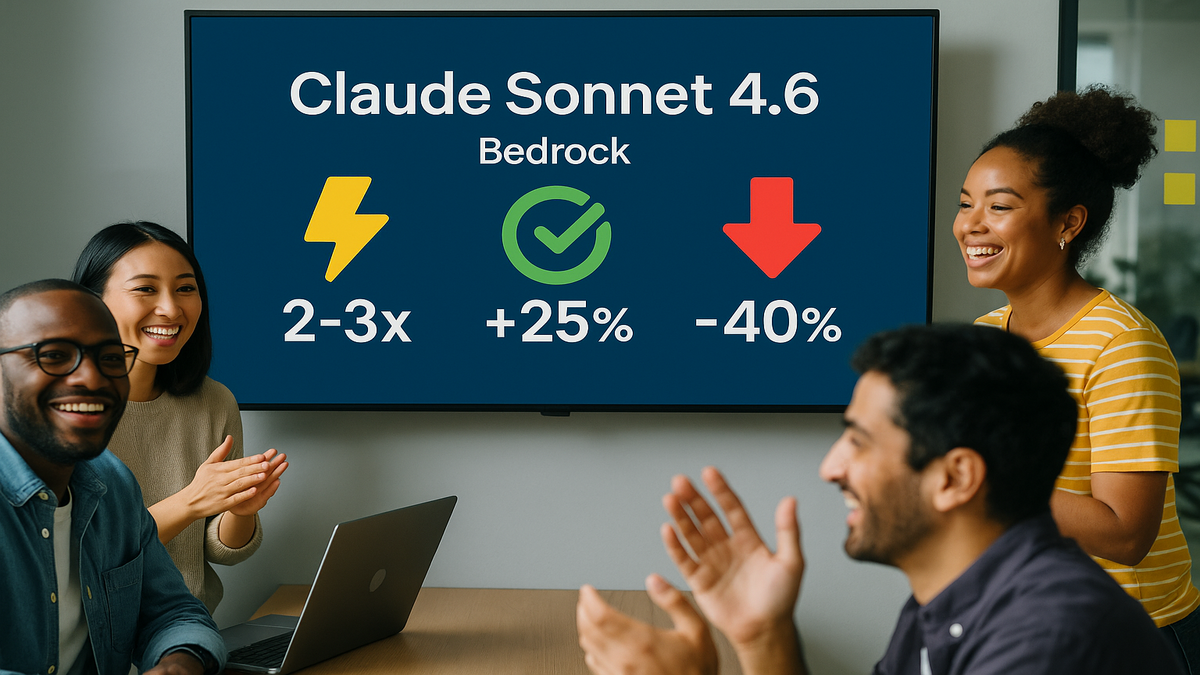

Government AI without the compliance ulcer? You just got it. Kiro now runs in AWS GovCloud (US) Regions. You can query resources, fix incidents, and automate ops there. It fits FedRAMP High and stays ITAR-aware. Translation: faster calls, no data-leak nightmares.
If you’ve stalled on AI over “security and sovereignty,” this is your green light. Kiro brings a natural-language brain to your AWS estate. It stays inside GovCloud boundaries with data isolation and tight access. It works with Amazon Bedrock, AWS Lambda, and Amazon EC2. It’s shaped for mission-critical work.
Here’s the win: you keep your existing AWS guardrails. Kiro turns your playbooks into prompts, plain and simple. Teams stop hunting dashboards. They ask questions and get compliant answers.
This isn’t “move fast and break things.” It’s move fast and keep the receipts, seriously. Every query, action, and outcome is traceable in your audit trail. No sidecars. No egress. No surprises.
And yes, you can ship faster without waking your CISO at 2 a.m. That’s the point: cut toil, shrink mean time to respond, and stay tight on compliance.
“In 2005, cloud was a risk. In 2026, not using secure AI is the risk.”
TL;DR
Kiro in GovCloud = AI speed with FedRAMP High, ITAR alignment.
Keep data inside GovCloud regions with fine-grained access controls.
Automate inventory, cost insights, and incident response via natural language.
Plan identity, permissions, and audit early—your CISO will thank you.
Track costs with tags, CUR, and budgets for clean enterprise billing.
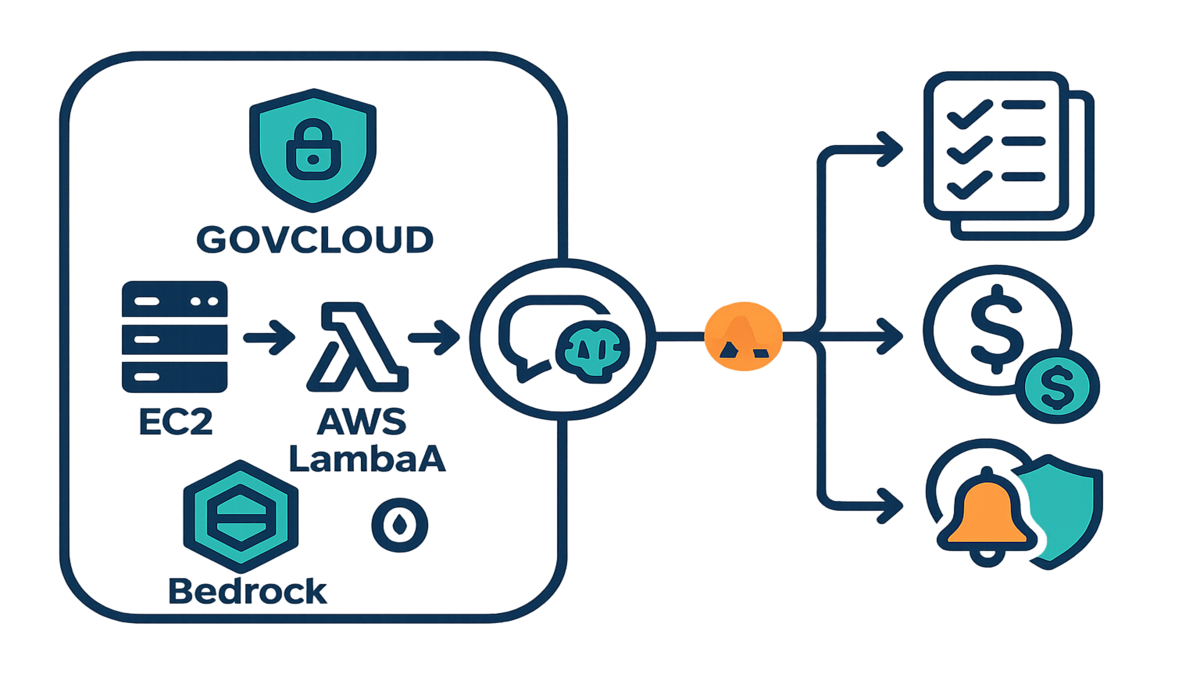
What Kiro In GovCloud Delivers
Why GovCloud exists
AWS GovCloud (US) Regions are isolated for regulated workloads. They are purpose-built. As AWS says, “AWS GovCloud (US) is designed to host sensitive data and regulated workloads in the cloud, and to address the most stringent U.S. government security and compliance requirements.” That’s the box Kiro lives in now. You get data sovereignty, separate control planes, and a compliance posture aligned to FedRAMP High and ITAR scopes.
- Read more: AWS on GovCloud’s purpose and boundaries
GovCloud helps agencies and contractors keep CUI and export-controlled data inside U.S. borders. You can use FIPS 140-2 validated endpoints and AWS KMS for encryption. You also apply the same IAM, VPC, and logging strategies you trust. It’s just in a region carved out for high-stakes work. If someone asks, “Where does the data live?” you can answer simply. Here, and only here.
What Kiro does differently
Kiro gives you a natural-language interface for your AWS estate. Ask, “What EC2 instances are untagged?” Or, “Generate a Lambda runbook for rotating KMS keys.” Or, “Summarize open incidents by severity.” Under the hood, Kiro ties into Amazon Bedrock, AWS Lambda, and Amazon EC2. It’s tuned for public-sector needs like mission sims and compliance audits.
Expert quote: “Standardizing on an isolated region is step one; the real unlock is safe automation inside those boundaries.” — A common refrain in AWS security reviews, backed by the Well-Architected mindset.
Practical upshot: you keep using AWS-native controls. Think IAM policies, KMS, CloudTrail, and VPC boundaries. Kiro speeds the tasks you already do. No shadow infrastructure or weird data egress to commercial regions. No mystery pipelines either. It’s still your AWS, just with a conversational superpower.
What that looks like day to day:
- Ask for a config snapshot: “List S3 buckets without default encryption in GovCloud-West.” You get a scoped result set and KMS enforcement tips.
- Draft IaC safely: “Propose a Terraform module to enforce EBS encryption-by-default.” You review before merging. Nothing runs without your approval.
- Speed up reviews: “Summarize last week’s CloudTrail events for IAM role escalations.” You get a crisp brief tied to change tickets.
Kiro stays in your lanes. It reads your controls and moves within them. If your policies say “read-only in prod, write in non-prod,” that’s exactly what happens.
Ship Faster Without Breaking Compliance
Automate the boring stuff
Kiro streamlines chores that normally bleed hours. Resource inventory, drift checks, cost hygiene, log triage, and compliance evidence. Try, “List all S3 buckets without server-side encryption in GovCloud-West; generate remediation steps.” Kiro can orchestrate AWS Lambda for patterns. Or draft Infrastructure as Code for review.
First-hand example: A state agency platform team asks Kiro, “Show EC2 instances tagged Owner: Unknown; propose stop schedule.” Kiro returns a list and explains business-hour versus off-hour risks. It drafts a Lambda with an EventBridge schedule too. The team reviews, deploys, and cuts idle spend. No breach of change controls.
- Policy anchors: Use AWS Config for rules, CloudTrail for audit, and KMS CMKs for encryption. Kiro works with those controls, not around them.
More quick wins your team can automate:
- IAM hygiene: flag users with access keys older than 90 days; propose rotation.
- EBS cleanup: find unattached volumes; draft a snapshot-then-delete plan.
- Patch posture: surface instances drifting from your patch baseline; tee up SSM docs.
- Tag enforcement: detect resources missing App/Owner tags; open tickets with owners.
You still review everything. Kiro brings speed and structure, not blind changes. Less console hopping, more time approving the right move.
Incident response but calm
When things break, you don’t need another tab. You need answers now. Kiro summarizes CloudWatch alarms, links logs, and proposes playbook steps. It can use Lambda or Systems Manager documents. Ask, “Why did CPU spike in GovCloud-East?” You get a guided path. Metrics insights, suspected root cause, and rollback options.
Ground rule: keep humans in the loop for high-impact actions. Think stop, terminate, or rotate. Kiro can tee up the move. Your process makes the call.
Picture an incident drill:
- You ask Kiro to summarize EC2 alarms for a service. It pulls two hours of metrics, spots an auto-scaling lag, and flags a noisy neighbor.
- It suggests short-term fixes like a bigger instance or ASG cooldowns. It adds long-term ideas like a hot SQL query tune it found in logs.
- With one approval, it can trigger a pre-approved SSM document. It restores a known-good AMI and pings on-call via SNS. Everything is logged.
The net effect: faster triage, fewer handoffs, and an audit trail your auditors like.
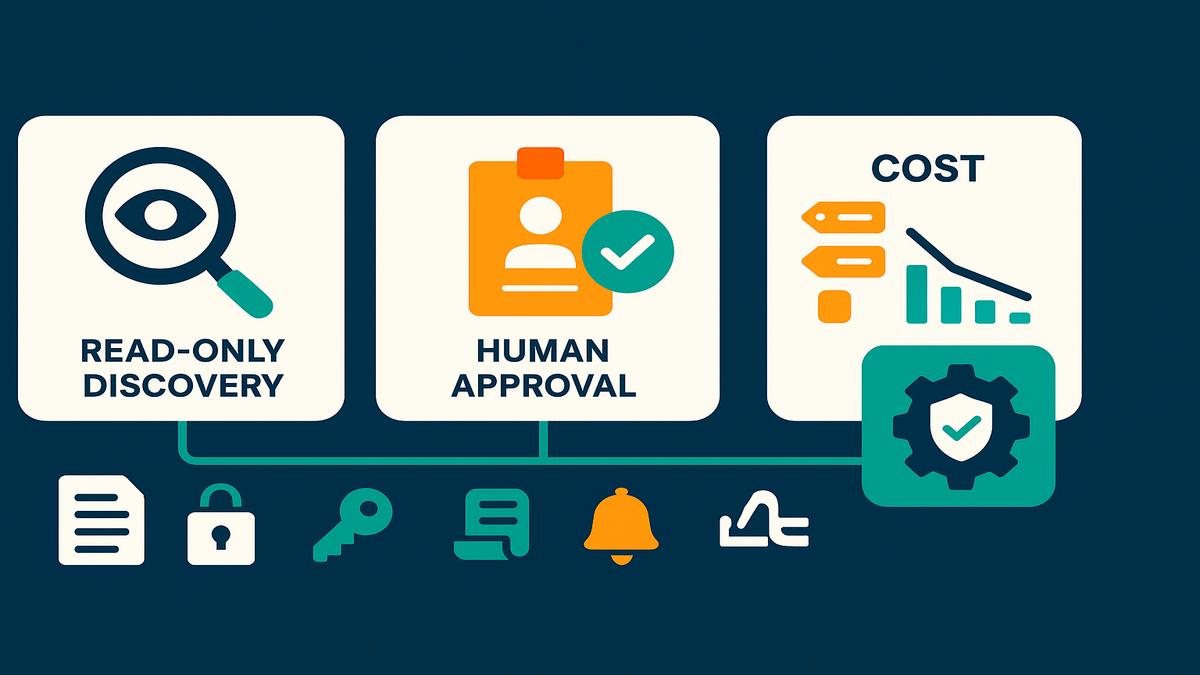
Identity and setup your CISO
Map roles not dreams
Treat Kiro like any production system. Use separate IAM roles with narrow permissions. Add permission boundaries and SCPs at the org level. Start least-privilege and iterate as needed. AWS guidance is clear: “Implement the principle of least privilege and enforce separation of duties with appropriate authorization.”
- Reference: AWS Well-Architected Security Pillar
For auditability, require CloudTrail in all GovCloud accounts. Enable AWS Config recording. Send logs to a dedicated, immutable log archive account. Encrypt everything with KMS keys scoped to GovCloud.
A simple role pattern to start:
- KiroReadOnly: inventory-only permissions for discovery in prod and non-prod.
- KiroAutomation: constrained write in non-prod; gated by approvals and change tickets.
- Condition keys: require aws:RequestTag/ChangeId on writes; deny if missing.
Lock it down with SCPs at the org root. Block sensitive actions unless tagged or approved. This stops “one-off” escalations from sneaking in quietly.
SSO and approvals without guesswork
Many enterprises use identity providers and SAML for SSO. If you use AWS IAM Identity Center, plan permission sets and session durations carefully. Especially for elevated actions, be cautious. Whether you integrate directly or use federated roles, bind Kiro to human identities. Use named roles and clear approvals.
Pro tip for “kiro enterprise setup”: define a change-management lane. Read-only discovery versus write-enabled remediation, very clear. Require ticket IDs in request metadata. Record Kiro actions with tags for traceability. If exploring “kiro aws identity center,” mirror your least-privilege permission sets. Don’t build a parallel access model.
Expert note: In regulated shops, identity clarity beats speed. You want zero doubt about who did what, when, and under which role.
Practical checklist to make auditors smile:
- Enable CloudTrail org trails and turn on S3 and Lambda data events.
- Use CloudWatch log retention policies that match your records schedule.
- Rotate KMS CMKs on a cadence; restrict key admins and enable key usage logs.
- Store approval artifacts with the change: chat, ticket number, and approver.
Budgets and billing
Tag segment and precommit
Cost surprises kill AI pilots fast. Treat “kiro enterprise billing” like any platform. Segment accounts by environment, like prod and non-prod. Turn on the Cost and Usage Report. Enforce mandatory cost allocation tags like App=Kiro, Owner=Platform, DataClass=CUI. AWS docs say it straight: “Use cost allocation tags to organize and track your AWS costs.”
- Reference: AWS Cost Allocation Tags
Layer AWS Budgets with alerts for Kiro spend. Consider Savings Plans or Reserved Instances for steady compute. That helps when Kiro automates recurring workloads.
Set guardrails early:
- Budgets by tag: notify at 50, 80, and 100% of thresholds.
- Separate budgets for compute and storage to spot drifts quickly.
- Use Budgets Actions for notifications or freezes in non-essential environments.
Show your work
Build a FinOps loop that leaders trust. Do a monthly CUR slice for Kiro-tagged operations. Show before and after on idle resource reductions. Link cost deltas to Kiro-proposed policy changes. If Kiro triggers Lambda remediation that stops idle EC2, track those events. Tag or query with CloudTrail, then tie savings to that proof.
First-hand example: A federal program office tags Kiro-run remediations with a Change ID. They add Tag=Kiro for clear tracking. Finance reviews CUR by tag to validate savings. They approve the next phase rollout. Clean, repeatable, and defensible.
Pro tip: Keep one “billing and observability” hub account in GovCloud. Centralize CUR, Athena queries, and QuickSight dashboards there. Leadership sees Kiro’s impact without hopping accounts.
Key metrics to report monthly:
- Idle EC2 hours reduced, with estimated savings shown
- Untagged resources trend, which should go down and right
- Mean time to detection and response for common incidents
- Compliance drift items auto-remediated versus manual ones
Halfway check
- Kiro runs inside AWS GovCloud (US) Regions with FedRAMP High alignment.
- You keep native AWS controls; Kiro accelerates tasks via prompts.
- Identity and permissions first: least-privilege, approvals, full audit.
- Enterprise billing = tags, CUR, budgets, and clean attribution.
- Automate inventory and incident tasks, with humans in the loop for risk.
If you can nod “yes” to each bullet, you’re ready to scale. If not, fix gaps now. Faster only matters if it’s also safer.
FAQs
Data isolated to GovCloud
Yes. Kiro operates within AWS GovCloud (US) Regions using their isolation model. Keep your data in-region. Use KMS CMKs, VPC endpoints, and SCPs for guardrails.
Kiro FedRAMP High and ITAR
Kiro runs where those controls are practical: AWS GovCloud. FedRAMP High maps to NIST SP 800-53 High for CUI. ITAR needs strict handling of defense-related data. Your ATO still depends on your boundary, configs, and controls.
Kiro services in GovCloud
Per the launch, Kiro integrates with Amazon Bedrock, AWS Lambda, and Amazon EC2. It’s tailored for government use, like simulations and compliance audits. Always check service availability per GovCloud region.
IAM Identity Center with Kiro
Many orgs use identity providers and SAML or IAM Identity Center for SSO. If you do, map permission sets to least-privilege roles. Ensure Kiro’s elevated actions need human approvals. Validate identity features available in GovCloud.
kiro enterprise setup billing
Treat it like any enterprise platform. Separate accounts, enable CUR, and enforce cost tags. Set AWS Budgets and baseline costs before rollout. For “kiro enterprise billing,” attribute savings and usage to Kiro-tagged events. Produce monthly reports for leadership.
Kiro and compliance processes
No. Kiro complements them, it doesn’t replace them. Keep your SSP, POA&M, and control evidence. Use Kiro to speed evidence gathering, log reviews, and scripted remediations. You still approve high-risk changes.
Change management in production
Use your current gates, no shortcuts. Start read-only in prod. For any write, require a change ticket, approver, and session tags. Kiro surfaces the evidence. You make the final call.
First 7 moves
1) Pick your pilot scope: one GovCloud account, limited services like EC2 and S3.
- Keep it tight. Define success: inventory accuracy, time saved, plus 1–2 remediations.
2) Create Kiro IAM roles with permission boundaries; start read-only.
- Split discovery from automation. Add condition keys so writes require ChangeId tags.
3) Enable CloudTrail, AWS Config, and KMS encryption in the pilot account.
- Turn on data events where it matters. Centralize logs to a locked archive account.
4) Define approval flows for writes; require ticket IDs in prompts.
- Bake approvals into chat or ITSM. No ticket, no action goes through.
5) Enforce mandatory cost tags and enable the Cost and Usage Report.
- Tag everything Kiro touches, like App=Kiro and ChangeId=ABC-123. Validate weekly.
6) Build dashboards for Kiro-tagged events and savings; set AWS Budgets.
- Show ops throughput and finance impact. Idle cut and spend avoided, very clear.
7) Run a two-week pilot: inventory, cost cleanup, and one incident drill. Iterate.
- End with a readout: automation, time saved, dollars saved, and risks reduced.
You want speed and safety? GovCloud plus Kiro brings both, honestly. Treat AI like a change-management accelerator inside your controls. Start with read-only discovery and nail identity and audit. Then unlock low-risk automations where savings are obvious. By expansion time, leadership gets a clean, tagged story. Faster triage, fewer idle dollars, tighter compliance evidence. That’s the point—AI that makes ops boringly reliable and audits pleasantly uneventful.
References
- AWS GovCloud (US) Overview
- FedRAMP Program Overview
- NIST SP 800-53 Controls (FedRAMP baseline)
- ITAR (DDTC)
- AWS Well-Architected Framework – Security Pillar
- AWS Identity and Access Management
- AWS Organizations – Service Control Policies
- AWS Key Management Service (KMS)
- AWS CloudTrail
- AWS Config
- Amazon CloudWatch
- AWS Systems Manager
- Amazon Simple Notification Service (SNS)
- AWS Cost Allocation Tags
- AWS Cost and Usage Report (CUR)
- AWS Budgets
- Amazon Bedrock (service docs)
- AWS Lambda (service docs)
- Amazon EC2 (service docs)