
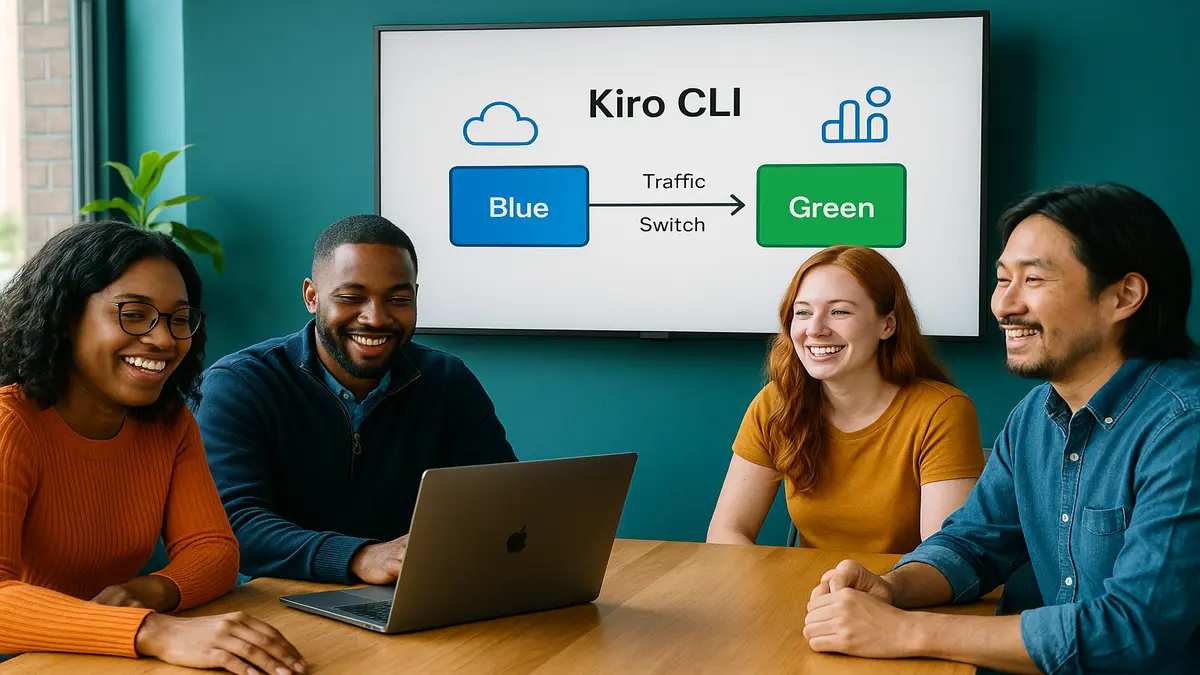
Most teams don’t need more YAML. They need fewer keystrokes that don’t break prod.
You’re juggling AWS accounts, IaC stacks, flaky scripts, and Friday 4:57pm deploy windows. Fun, right. The Kiro CLI latest features aim to crush that chaos hard. You get faster deploys, smarter automation, and clean hooks into new AWS services. All without turning your brain into a nonstop CloudWatch alarm.
Here’s the move: keep your existing stack, no rip-and-replace drama. Let Kiro CLI orchestrate the boring bits through simple, intuitive commands. Think provisioning, monitoring, and scaling handled the same way, every time. You get repeatable flows, fewer footguns, and time back for what actually matters.
The upside isn’t theoretical; it’s proven. Elite DevOps teams ship more and recover faster when things break. That’s not magic; it’s simpler tools and cleaner process that actually stick. Kiro CLI’s latest version leans into that idea all the way. Speed where it counts, guardrails where you need them, and integrations that don’t fight the platform.
If you’ve babysat a “successful” deploy that quietly broke logins, you know the pain. The promise here stays simple and honest: fewer mystery steps, more predictable outcomes, every single time. Plus a workflow your whole team can learn in one morning.
Key takeaways
- Kiro CLI latest version focuses on faster deployments and safer rollouts.
- Automation scripts are more reliable: idempotent, dry-run friendly, policy-aware.
- Integrations with newer AWS services improve observability and scaling.
- Check “Kiro CLI GitHub” for the latest features, changelog, and downloads.
- Windows users: look for a signed installer or WinGet entry before deploying.
Why Kiro CLI Leveled Up
What Kiro CLI Is
Kiro CLI is a command-line layer that streamlines your daily AWS workflows. Provision infrastructure, deploy apps, monitor health, and scale capacity without weird handoffs. The latest features sharpen three edges you’ll feel immediately. Deployment speed, automation reliability, and integrations with newer AWS services. Move faster without taking on extra risk.
Think of it as a glue layer for all the stuff your best engineer does. It standardizes those steps so a new hire can run them without sweating. If your day is “spin up env, deploy a build, wire logs, watch alarms,” this helps. It turns that into a few predictable actions that work the same every time.
Why that matters
You don’t need a brand-new “platform” with more knobs to manage. You need fewer steps between code and prod that anyone can run safely. The sweet spot is a CLI with predictable one-liners your whole team can trust. That’s how onboarding gets painless and change reviews get shorter. And yes, your weekends stay yours.
Every extra manual step invites missed variables or risky policies, and ugly subnet typos. Cutting those steps isn’t just faster—it’s safer, full stop. Fewer handoffs, fewer hidden assumptions, and far less account confusion.
A firsthand flow
- New sandbox? One command spins up a baseline VPC, IAM roles, and observability.
- App update? One command packages, pushes, and rolls out with health checks.
- Scale event? One command applies a policy and autoscale safely with alarms.
You keep your IaC with CloudFormation or Terraform and your CI/CD of choice. GitHub Actions, CodeBuild, or Jenkins stay as-is with no drama. Kiro CLI orchestrates the glue so humans stop playing bash Jenga at midnight.
In practice, that means fewer tribal scripts hiding in dusty repos. Fewer wiki pages that went stale last quarter and still mislead folks. Fewer “works on team A, fails on team B” surprises across services. Standard flows lead to consistent results you can finally trust.
From Zero to Provisioned
Faster pipelines
The Kiro CLI latest features target the slowest path-to-prod pain points. Packaging, environment setup, and post-deploy verification get tightened and simplified. Expect commands that bundle artifacts and wire environment variables on cue. Then validate stack health without spelunking through five AWS consoles.
Speed shows up in a lot of small ways that compound. Caching dependencies, reusing safe existing resources, and surfacing logs inline. Less “click-and-guess” in consoles, more “run-and-know” in your terminal. That’s how minutes shave off without people even noticing.
Safer rollouts by default
Blue/green or canary becomes the default, not a special one-off play. The CLI stages new versions behind a healthy target group with preflight checks. It only switches traffic when metrics behave like adults in the room. If latency spikes or 5xx errors climb fast, it halts or rolls back.
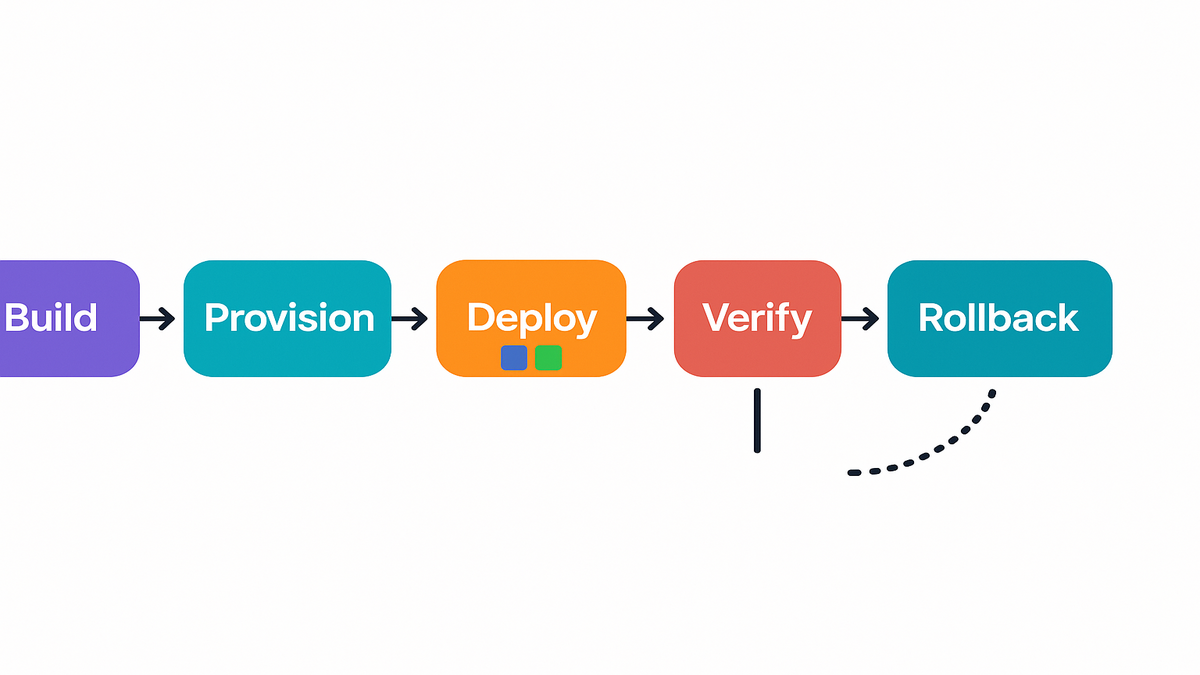
Here’s how it looks in plain steps that make sense. Deploy new tasks, pods, or functions and register with a load balancer or alias. Warm them up first, then shift traffic by stages: 10%, 50%, and finally 100%. If alarms fire anywhere, stop or reverse quickly with no heroics.
Pipeline example
- Build: compile, run tests, generate an artifact.
- Provision: ensure infra exists (idempotent), create missing resources.
- Deploy: push versioned image/package, register with service (ECS/EKS/Lambda).
- Verify: hit health endpoints, check CloudWatch alarms.
- Shift: move traffic gradually; watch error budgets.
- Rollback: revert to last known good if thresholds trip.
This aligns with modern DevOps guidance from respected research. Elite performers ship frequently with short lead times and low failure rates. Tooling that bakes in safe defaults makes that real without heroics.
To make it concrete:
- Build
- Run unit and integration tests every time, no excuses.
- Create a deterministic artifact with a content digest or checksums.
- Provision
- Reuse VPCs and IAM roles if present; create only what’s missing.
- Tag resources for tracking like env, app, and owner to clean later.
- Deploy
- Register images with ECS or ECR, pods with EKS, or Lambda aliases.
- Keep the previous version warm for instant rollback on demand.
- Verify
- Probe /health and /ready endpoints without skipping steps.
- Confirm alarms exist for p95 latency, 5xx rate, and saturation.
- Shift
- Use weighted routing via ALB target groups or Lambda aliases.
- Pause between steps and observe steady state before moving.
- Rollback
- Shift traffic back to the old target in seconds, not minutes.
- Report what tripped the rollback so fixes come with context.
Automation that actually automates
Idempotent runs
The Kiro CLI latest version leans hard into idempotency, on purpose. Run the same command twice and get the same stable result. No duplicates, no weird drift, and no “worked on my laptop” energy. Keeping prod boring is actually the point here.
Idempotency also lowers merge friction across teams on busy days. If two teams apply the same env baseline, the second run should be a no-op. Not a bomb waiting to explode your afternoon. Consistent names, tagging, and checks keep everything tidy.
Guardrails you wont outgrow
Good automation doesn’t only automate success; it automates safe stopping. Expect dry runs that preview changes with clear, human-friendly output. Policy checks block open S3 buckets or dangerous IAM wildcards quickly. Preflight tests fail fast before you ship risk into prod.
These guardrails play nice with audits and compliance asks. When someone asks, “How do you prevent public buckets?” just show the policy. You literally point at the preflight rule that refuses the change. That’s compliance without drama or fifteen meetings.
Preflight saves you
Before a deploy, the CLI validates:
- IAM policy diffs (no privilege creep sneaking in)
- Security group rules (no 0.0.0.0/0 unless explicitly allowed)
- Service health checks (dependencies reachable)
- Alarms in place (latency, 5xx, saturation)
If any check fails, the deploy stops with a clear reason instantly. You fix the issue and rerun with confidence afterward. Idempotent runs and explicit guardrails mean fewer late firefights. And far fewer 2 a.m. log dives that ruin sleep.
Add a quick sanity suite and catch big stuff early with ease. Wrong image tag, missing env var, wrong region, or busted DB migration. Ten minutes of checks saves ten hours of incident calls later.
Why this aligns
DevOps research keeps showing the same pattern over and over. Automation quality drives throughput and stability in a real way. It’s not about more scripts but trustworthy, testable scripts that scale. They should grow with your team and your blast radius together.
Pair that with drift detection and regular audits across environments. You stop entropy from melting your stacks slowly over time. Your “golden path” stays golden instead of going rusty.
Quick brain download
- Kiro CLI latest features target deployment speed, safety, and AWS integration.
- Idempotency, dry runs, and policy checks turn automation into guardrails.
- Safer defaults (blue/green, canaries) remove human error from rollouts.
- You keep your existing IaC and CI—Kiro CLI orchestrates the glue.
- Check Kiro CLI GitHub for the latest version and downloads (Windows included).
AWS integrations and scale
Observability that starts before prod
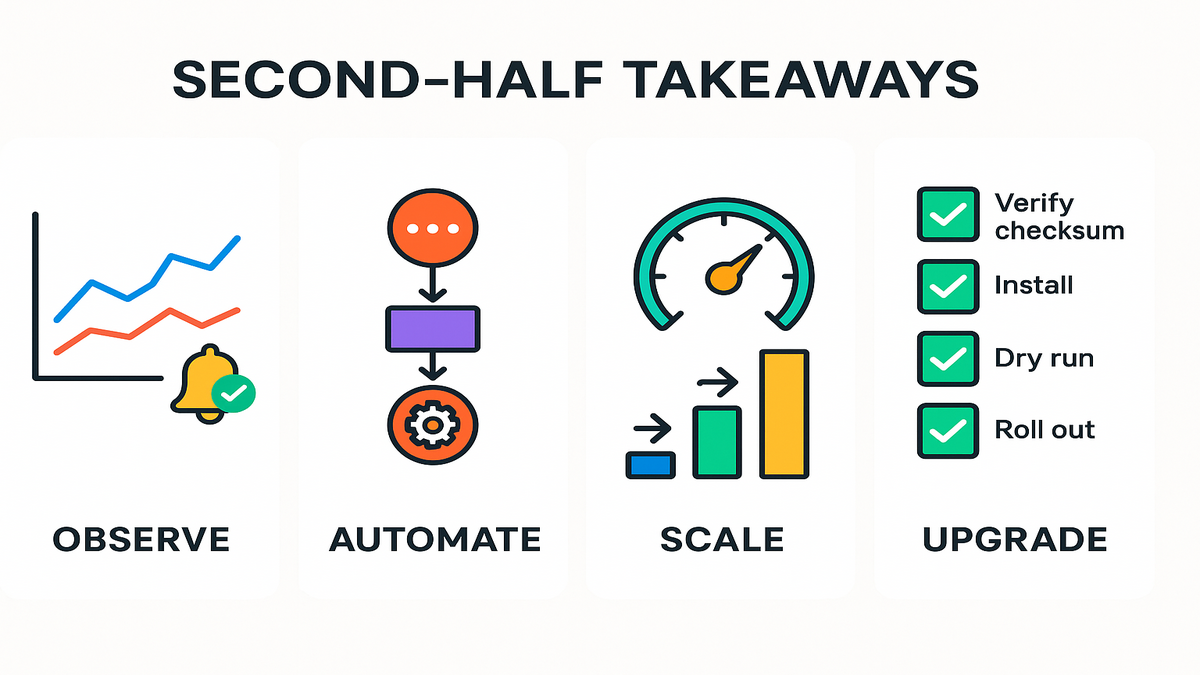
Modern rollouts need visibility from minute one, not after the fact. Expect baked-in hooks for CloudWatch metrics, alarms, and logs always. Your deploys shouldn’t “succeed” while real users quietly suffer pain. Health gates tied to alarms keep everyone honest here.
For latency budgets, wire p95 and p99 latency, error rate, and saturation. For containers, pipe stdout and stderr to one central log group. Attach structured fields like request ID, user ID, and version. Traces help, so start sampling early before traffic spikes.
Event driven everything
AWS workflows are trending event-native, and it shows in real setups. With EventBridge, Step Functions, or SQS, post-deploy jobs become clean. Migrations, cache warms, or reindexing run reliably with retries on burps.
Event-driven cleanup becomes your quiet secret weapon over months. Expire old tasks and purge flags when features roll off slowly. Rotate keys on schedule and resync indexes after deploys. Add DLQs and timeouts so nothing gets lost during spikes.
Ready to scale
Whether you’re on ECS, EKS, or Lambda, scaling must respect budgets. The CLI applies autoscaling policies that consider CPU, memory, and QPS. It can also watch custom metrics and add cooldowns to prevent thrash.
Also, set upper bounds so scale-out doesn’t blow the month’s budget. A runaway autoscale can burn your money as fast as it saves uptime. Guardrails for min and max capacity keep your CFO and pager calm.
Stable scale up
- Set a target-tracking policy on ECS based on requests per target.
- Add CloudWatch alarms for p95 latency and 5xx rate.
- Deploy behind a new target group to isolate impact.
- Shift 10% traffic, wait for steady state; then 50%; then 100%.
If alarms trigger at any stage, the CLI pauses or rolls back traffic. You get growth without chaos and fewer 3 a.m. wake-up pages. For stateful systems, add warm-up steps before real traffic lands. Prime caches, fill pools, and run quick synthetic checks first. Those extra 60 seconds save incidents you don’t want later.
Get Kiro CLI
Find latest version
If you’re searching “kiro cli latest version” or similar GitHub phrases, start there. Open the project’s GitHub repository first and check the Releases page. Look for tagged versions, release notes, and checksums for each build. Changelogs outline fixes, features, and breaking changes you must know.
Verify you’re on the official org with recognized maintainers and active commits. Signed assets and a healthy release page are big green flags. Clear notes mean the team respects users and real-world upgrades.
Download latest features
Download from the official source only, ideally GitHub Releases every time. Verify the checksum and signature if they’re provided with assets. Avoid random mirrors that can inject bad stuff without warning. In regulated shops, keep a vetted internal mirror and pin versions in CI.
Step-by-step:
- Download the asset and its checksum or signature file.
- Compute the hash locally and compare to the published checksum.
- If signatures exist, verify with the maintainer’s public key.
- Store the artifact in your internal registry if you mirror dependencies.
Kiro CLI for Windows
Windows users should look for a signed installer, MSI or EXE ideally. If the project publishes to WinGet, installation becomes a single command. If not, prefer an installer over manual zips to handle PATH and deps. It’s one less thing to debug across different laptops.
macOS: check for a Homebrew tap or a signed universal binary. Linux: expect deb or rpm packages, or a static binary sometimes. Prefer packages for easier patching and cleaner upgrades.
Keep it fresh
- Pin versions in CI.
- Read release notes for migration steps.
- Test upgrades in a staging account.
- Roll out gradually across environments.
First-hand tip: treat CLI upgrades like app releases always. Versioned, tested, and staged with clear rollbacks if needed. You’ll dodge the “works locally, fails in prod” reruns later.
Security compliance cost control
- Least privilege by default
- Keep IAM scopes tight and specific by policy.
- Avoid wildcards unless you can actually justify them.
- Separate roles per environment to block cross-env mistakes.
- Secrets where they belong
- Use a secret manager or parameter store for every secret.
- Never bake secrets into images or commit to repos.
- Rotate keys and let apps reload without a restart if possible.
- Audit trails that help
- Tag resources consistently with env, owner, app, and cost-center.
- Enable CloudTrail and log critical deploy actions for forensics.
- Cost-aware scaling
- Add sane min and max caps for Auto Scaling by service.
- Alert on anomalies or schedule downscales for dev and test at night.
These are boring on purpose, and that’s exactly why they work. Boring is reliable, and reliable keeps incidents away from your day off.
Team onboarding
- Start with a single service in staging; prove the flow end-to-end.
- Document three golden commands: provision, deploy, rollback.
- Add a “preflight” checklist to your PR template for every change.
- Run a game day and simulate a bad deploy with your team.
- Practice a rollback and measure time-to-recovery without shortcuts.
- Expand to more services, keeping the same flow wherever possible.
Make it easy to do the right thing the first time. When the fastest path is safest, people choose it every time.
Troubleshooting tips
- Deploy stuck on “verifying”
- Check health endpoints and target group registration carefully.
- Look for missing env variables or broken secret access policies.
- Canary tripped on latency
- Inspect cold starts, DB pools, or N+1 query patterns first.
- Increase warm-up time and retry the shift in smaller steps.
- Policy check failed
- Review IAM changes and remove wildcards or public ingress quickly.
- Re-run a dry run and confirm drift isn’t causing false positives.
- Rollback didn’t move traffic
- Confirm the previous version is healthy and still registered.
- Validate routing weights or alias pointers point where expected.
Write down fixes as you discover them for your future self. Turn tribal knowledge into repeatable runbooks your team can trust.
FAQ
Whats new in Kiro CLI?
The headline upgrades focus on faster deployments and stronger automation defaults. Idempotent runs, dry-run previews, and policy checks drive safer moves. Integrations with newer AWS services improve observability and scaling. Expect safer defaults like blue/green and canaries with clearer feedback.
Is Kiro CLI safe?
Used correctly, yes, with guardrails doing heavy lifting during deploys. Preflight checks, health-gated rollouts, and rollbacks tied to alarms help. Treat the CLI like any key dependency and pin versions always. Read changelogs closely and stage upgrades like pros.
How Kiro CLI compares
Think orchestrator here, not a direct replacement for core tools. AWS CLI is a low-level Swiss Army knife for resources. Terraform and CloudFormation handle stateful infrastructure lifecycle at scale. Kiro CLI coordinates provisioning, deployment, verification, and scaling flows. It helps those tools play nicely together with fewer manual steps.
Kiro CLI on platforms
Most modern CLIs target all three platforms and architectures now. For Kiro CLI, look for official binaries or packages per OS. On Windows, prefer a signed installer or a WinGet entry if possible. On macOS, a notarized app or Homebrew formula is ideal. On Linux, deb or rpm packages or a static binary also works.
Find Kiro CLI on GitHub
Search for “kiro cli github” and verify the official organization first. Check maintainers you recognize and a steady stream of active commits. Trust repositories with a healthy Releases page and signed assets. A documented changelog is your friend during upgrades.
Roll back a deploy
Use blue/green or canary strategies and keep the previous version warm. If alarms trip, shift traffic back while you analyze calmly. For infra changes, use IaC rollbacks with CloudFormation or Terraform. Combine that with versioned artifacts for clean reversions.
Regulated environments
Yes, with a bit of plumbing that teams already understand. Mirror binaries internally and pin versions across teams in CI. Run dry runs as part of change approvals for safer flow. Export logs and changes for auditors and keep them happy.
Serverless vs containers
Same principles apply with a few service-specific details to note. Use clear health checks, structured logs, and alarms that matter. For Lambda, do alias-based canaries and track cold starts carefully. For containers, monitor CPU, memory, requests, and queue depth.
30 minute upgrade plan
- Locate the official GitHub repo and read the latest release notes.
- Download the newest version and verify checksum or signature.
- Install on a non-prod machine for Windows, Mac, or Linux.
- Run a dry run against staging and fix any policy failures.
- Test a blue/green or canary deploy with alarms and health gates.
- Pin the version in CI and roll out gradually to prod environments.
Here’s the bottom line: speed without safety is a ticking time bomb. Safety without speed becomes a career limiter, sooner or later. The Kiro CLI latest features aim cleanly for both outcomes together. You bring your stack, your IaC, and your CI as they are. Let the CLI handle orchestration, guardrails, and integrations that sap your hours. Start small with a staging deploy using preflight checks and health-gated shifts. When releases get less flaky and feedback loops tighten, expand wider. That’s how you ship more, sleep better, and stop treating AWS like a haunted house.
References
- Google Cloud: Accelerate State of DevOps (2021) — key metrics and practices
- GitHub Docs: About Releases — how projects publish versions and assets
- AWS CloudWatch Alarms — create alarms to detect and respond to issues
- AWS CloudFormation Drift Detection — detect resource configuration drift
- Amazon EventBridge — event bus for event-driven workflows
- AWS Step Functions — orchestrate serverless workflows
- Windows Package Manager (WinGet) — installing apps via command line
- AWS Application Load Balancer routing and weighted target groups
- AWS Lambda traffic shifting with aliases (canary/linear)
- Amazon ECS Service Auto Scaling — target tracking and step scaling
- Amazon SQS dead-letter queues — handle message failures
- AWS X-Ray — distributed tracing for apps
- HashiCorp Terraform Plan — preview changes safely