

If you’re still pulling CSV dumps, praying columns don’t move, and stitching storage data to app logs — stop. There’s a faster lane, and you can hop in today.
AWS just made it easier to analyze Amazon S3 Storage Lens data by exporting metrics straight into managed S3 Tables. Your storage insights land query-ready, so you can join with app logs, cost data, and business metrics in minutes.
TLDR
- Export S3 Storage Lens metrics right into managed S3 Tables.
- Query with Amazon Athena and visualize in Amazon QuickSight directly.
- Join with app logs and business data for end-to-end insight.
- Use Parquet plus partitions to cut Athena scan costs, way down.
- Lock down access with Lake Formation and IAM today.
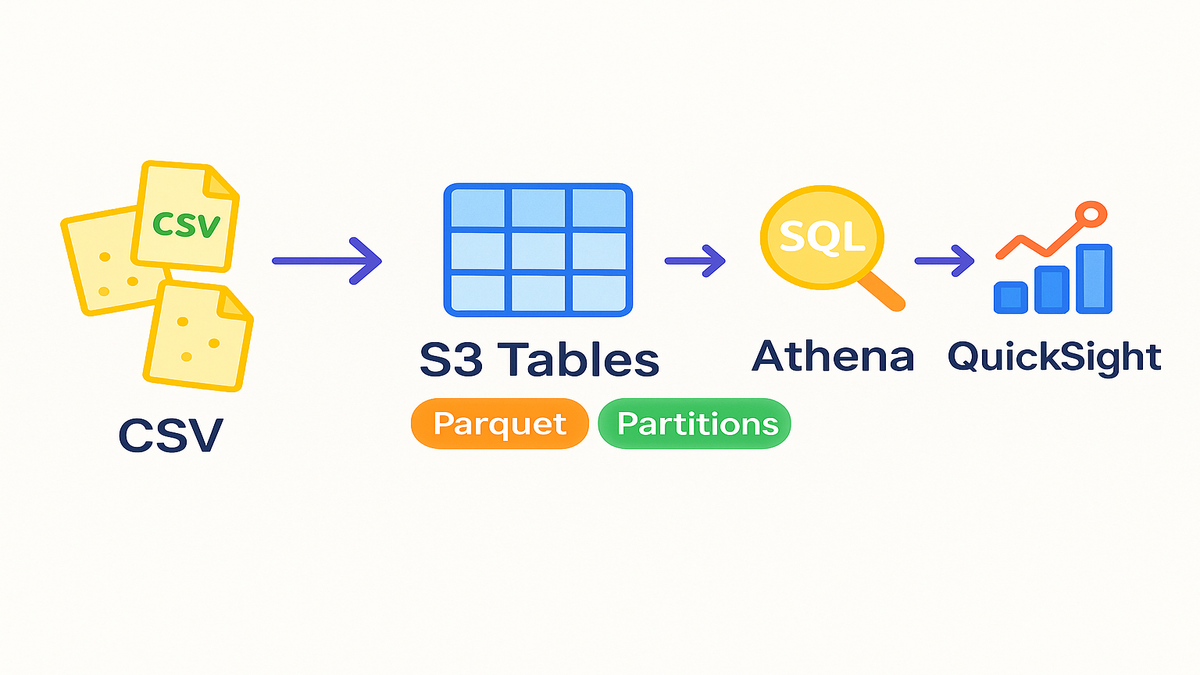
From CSV chaos to tables
- Historically, exporting to files meant crawlers, schema drift, and brittle joins.
- S3 Tables give you a steady schema, sane partitions, and instant queries.
- Standardize consumption with a clear schema and a simple data contract.
Setup high level
- Make sure IAM permissions and Lake Formation or S3 Tables access is set.
- Name your database and table, then choose partitions like eventdate, region, bucketname.
- In S3 Storage Lens, enable export to S3 Tables using Parquet, date partitions, encryption, and the right role.
- Prefer automation with IaC, like CloudFormation, CDK, or Terraform, for repeatability.
Partitioning and formats
- Use Parquet with Snappy compression for smaller, faster scans overall.
- Partition by eventdate, and consider region and bucketname when it helps.
- Manage retention with S3 lifecycle policies, and target 128–512 MB file sizes.
Query with Athena Glue
- Confirm the schema in the Glue Data Catalog, and document metric meanings, units, and refresh times.
- Join Storage Lens metrics to app telemetry using event_date and region, plus bucket when needed.
- Common queries include top growth buckets, latency trends with 7-day rolling averages, and metric pivots.
Visualize with QuickSight
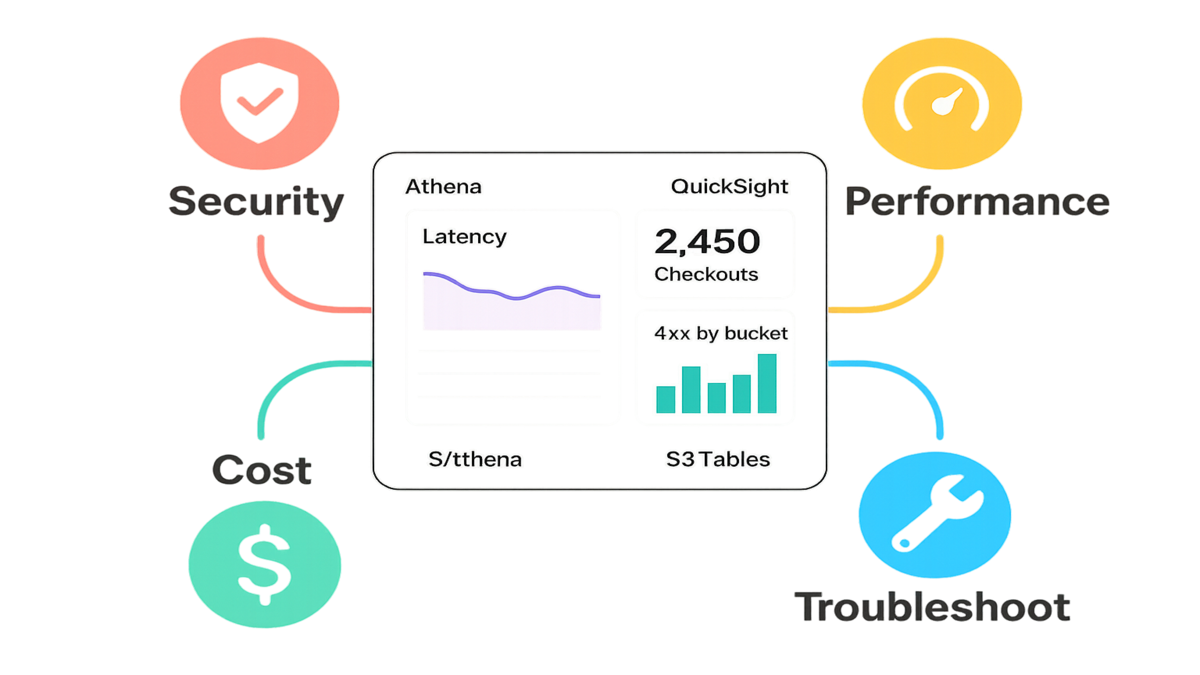
- Connect to Athena, build visuals like latency lines, 4xx bars, and a KPI for checkouts, then schedule refresh.
- Use parameters for date ranges, row-level security, and SPICE to speed things up.
Operate safely
- Security: use least privilege with IAM and Lake Formation, encrypt at rest and in transit, and audit with CloudTrail.
- Performance: always filter by partitions, compact small files, and select only needed columns or metrics.
- Cost: lean on Parquet and pruning, use CTAS for pre-aggregations, and SPICE to reduce live scans.
Troubleshooting
- Missing data: check the export status, destination, permissions, partition arrival time, and S3 paths.
- Large scans: add WHERE filters on event_date and region, use Parquet, verify pruning with EXPLAIN, and compact files.
- Dashboard lag: push data to SPICE, pre-aggregate results, and schedule off-peak refreshes.
30 minute checklist
- Enable Storage Lens export to S3 Tables using Parquet, partitioned by event_date.
- Configure encryption and the IAM role, verify the table in Glue, and add column docs.
- Run a scoped Athena query for one day to validate the pipeline.
- Connect QuickSight, build a basic dashboard, and set lifecycle policies.
FAQs
Freshness: daily; new partitions appear once per day after export completes.
PDF exports: use the QuickSight dashboard export to PDF.
Costs: S3 storage plus Athena at $5 per TB scanned; Parquet and partitions keeps scans tiny; SPICE reduces repeats.
Access: use Lake Formation grants, IAM roles, and CloudTrail auditing; share cross-account with resource links.
Schema changes: evolve additively with nullable fields, version datasets for breaking changes, and keep partition keys stable.
Org vs. account scope: align dashboard scope and export role permissions.
Crawlers: usually not needed for managed S3 Tables with a known schema.
Retention: keep 12–18 months daily, and store monthly aggregates longer.
Privacy: metrics are aggregate; if joining user-level logs, apply column controls and masking.