
You don’t buy a Ferrari to drive in first gear. Yet most memory-hungry apps are idling because the box is the bottleneck. If dashboards freeze during peak trading, HANA queries crawl, or EDA jobs starve for RAM, it’s not code. It’s a capacity problem.
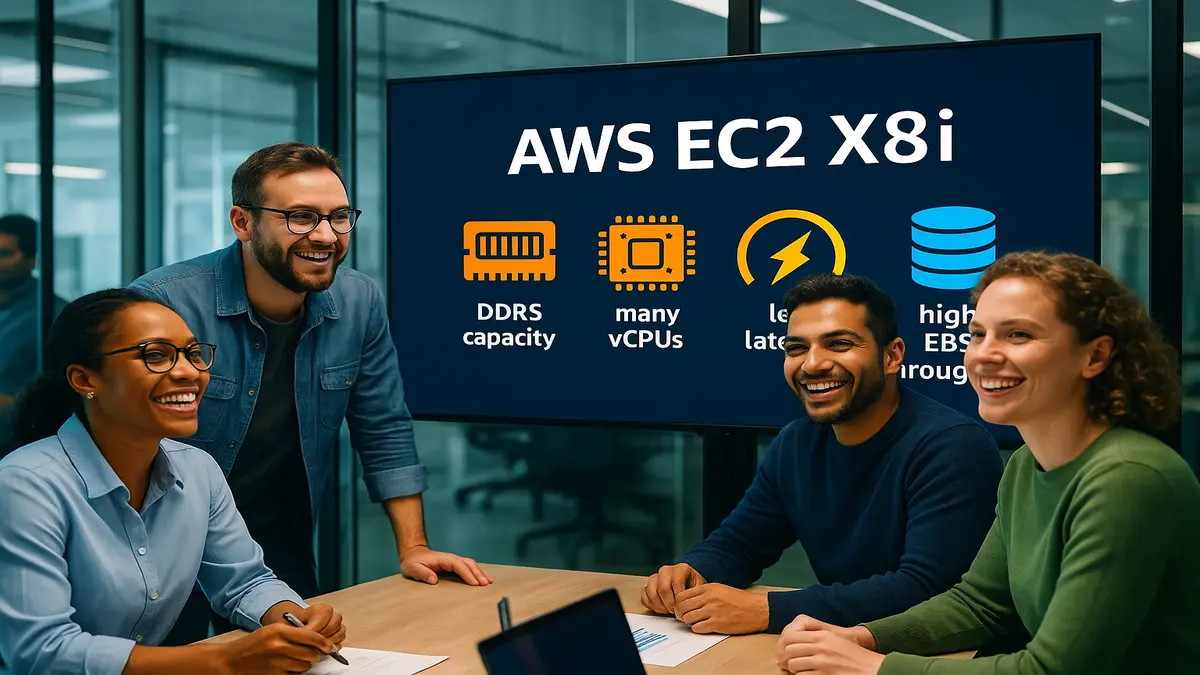
Here’s the fix: AWS EC2 X8i. It’s a new memory-optimized box powered by Intel Sapphire Rapids Xeon. The pitch is simple: up to 24 TiB DDR5 per instance, up to 128 vCPUs, and up to 40% better price-performance than last gen.
You bring the in-memory database, real-time analytics, or design workloads. X8i brings headroom, bandwidth, and low latency so jobs stop thrashing and actually finish.
If you’ve been throwing more threads, bigger clusters, or frantic cache tweaks, pause. When working sets spill to disk, you’re stuck in the slow lane. Keep more of your data in RAM—fast DDR5 RAM—and latency stays flat.
This guide breaks down what X8i optimizes, who should use it, and a sane migration playbook. Bring your metrics, your SLOs, and a healthy disrespect for avoidable complexity.
TLDR
- X8i is AWS’s memory-first instance: up to 24 TiB DDR5, 128 vCPUs.
- Built on Intel Sapphire Rapids plus AWS Nitro for speed and isolation.
- Up to 40% better price-performance versus prior memory-optimized gen.
- Ideal for SAP HANA, ElastiCache, EDA, financial modeling, HFT, sims.
- EBS-optimized up to 40 Gbps for heavy checkpoints and logs.
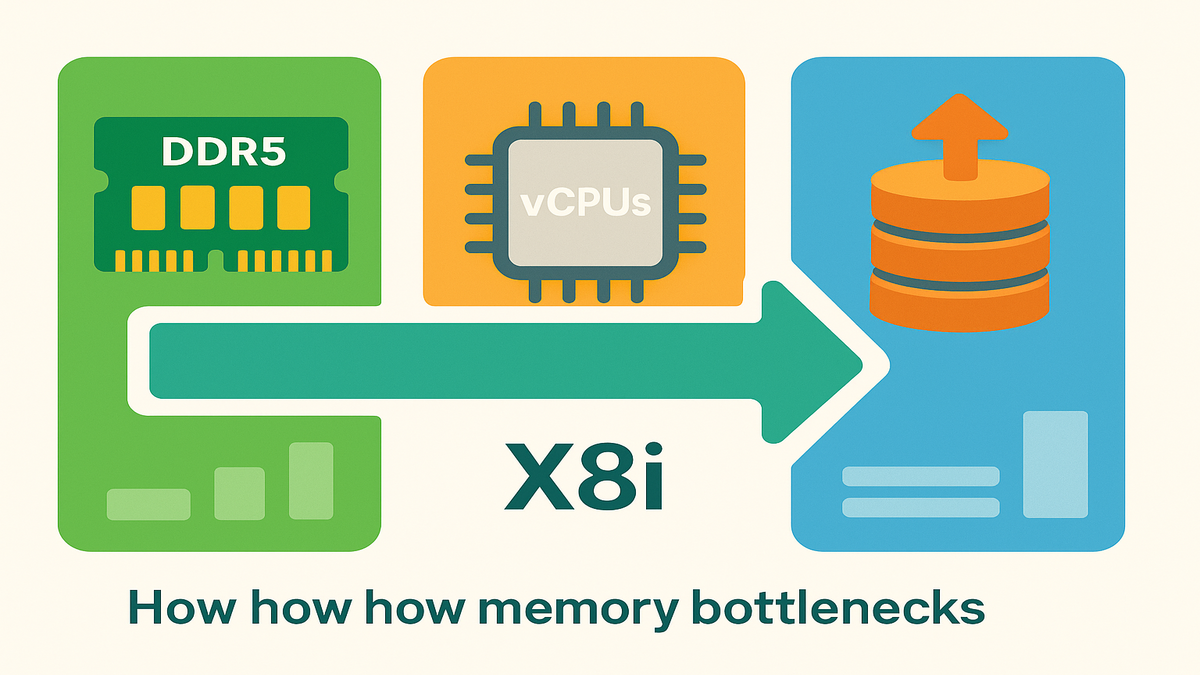
Think of X8i as the scale-up lever when your data footprint explodes. The more you keep in memory, the fewer hops and disk trips. That means tighter p95/p99 latency, simpler topologies, and less pager noise. If engineers keep asking for more RAM, this is the button.
Beat Memory Bottlenecks
The short version
Your problem usually isn’t CPU cycles—it’s memory footprint, bandwidth, and latency. EC2 X8i feeds data-hungry apps that live in RAM: SAP HANA, ElastiCache/Redis, and big EDA jobs needing predictable access to huge working sets.
When memory is the choke point, more cores barely move the needle. Gains come from keeping hot columns, joins, and state structures in RAM, not disk. DDR5, wide memory channels, and high memory-to-vCPU ratios deliver fewer stalls, less thrash, and more throughput.
If you’ve been scaling out just to buy memory, X8i lets you scale up. Trade herd management for one big, predictable node. Fewer nodes often means less cross-talk, fewer retries, and fewer timeouts during crunch time.
Key hardware basics
- Up to 128 vCPUs and towering memory-to-vCPU ratios.
- Up to 24 TiB of DDR5 memory per instance for higher bandwidth and concurrency.
- EBS-optimized bandwidth up to 40 Gbps to keep snapshots and logs flowing.
- Backed by AWS Nitro, offloading virtualization to hardware for perf and isolation.
Here’s why those bullets matter. DDR5 boosts per-channel bandwidth versus DDR4, so multi-threaded memory pounders get a wider highway. Nitro offloads management to purpose-built hardware, reducing jitter from noisy neighbors. You get more of the host’s CPU and RAM to yourself. And that EBS pipe—up to 40 Gbps, roughly 5 GB/s theoretical—keeps backups and restores moving without starving the app.
You’re not just buying a big box. You’re buying predictability under load. That’s gold for SLAs and the humans on the hook.
Why this matters in practice
If HANA column stores keep paging, p99s spike, or nodes are over-provisioned just to buy RAM, right-size. Scale-up memory shrinks cluster count, reduces network hops, and cuts tail latency. “Memory is the cheapest way to buy time,” a principal architect told me after flattening latency 30% on DDR5-backed nodes.
Pro tip: If you’re Googling “aws ec2 x8i instances list,” open EC2 instance types. Filter for memory-optimized to see sizes and regions.
Real-world signals to watch:
- Page fault rates spike at peak and drop off-hours.
- Latency curves bend up when caches start evicting hot keys.
- EBS throughput is steady but app latency jumps, pointing at RAM pressure.
- You pay for extra nodes mainly to hit memory, not CPU targets.
Put those on one dashboard. If they line up, X8i-sized memory is your lever.
Design For 24 TiB
SAP HANA without gymnastics
HANA wants RAM. X8i gives scale-up headroom to keep hot data in memory. That reduces cross-node joins and simplifies your HA story. One pattern sized a two-node scale-up pair: primary on a maxed X8i for daytime analytics, secondary for HA and nightly ETL. Result: fewer shards, simpler failover, and lower cross-node latency.
Add a few pragmatic tactics:
- Keep row-store spillovers in check by following SAP memory-to-core guidance.
- Separate log and data volumes on EBS with provisioned IOPS for flat commit latency.
- If you batch nightly, warm caches before business hours to avoid cold-start tax.
Fewer shards also simplifies change management. Fewer moving parts means fewer weird drifts at 9:30 a.m.
Real time analytics and caches
Redis and ElastiCache reads get faster when you stop evicting keys. X8i’s DDR5 lets you raise maxmemory and cut MISS rates. For leaderboards, HFT tick caches, or session stores, headroom means fewer clusters and steadier p99s. For engines that barely spill, like Trino/Presto broadcast joins, abundant RAM keeps intermediates in memory and reduces S3 trips.
A few field notes:
- For Redis, track hit ratio, evicted_keys, and latency together. If hit ratio dips as QPS rises, it’s memory.
- For Trino/Presto, bigger pools keep broadcast joins off disk and shrink wall time. Fewer S3 GETs avoids rate limits at peak.
- For time-series analytics, keep larger windows in memory to skip rehydrating during spikes.
Checkpointing and 40 Gbps
Even memory-first systems write: redo logs, snapshots, and model checkpoints. With up to 40 Gbps EBS, you can sustain heavy writes without stalling main threads. Use elastic volumes for bursts, and spread I/O across multiple EBS volumes for parallelism.
Expert note: Intel 4th Gen Xeon brings DDR5 and platform upgrades. DDR5 increases memory bandwidth over DDR4; exact numbers vary by setup, but direction is clear.
Operational tips for the I/O path:
- Use io2 or io2 Block Express for consistent latency on databases and logs.
- Stripe multiple EBS volumes with RAID 0 to raise throughput and IOPS. Watch queue depth.
- Stick with XFS for large files and parallel writes; it behaves well under stress.
- During backups and snapshots, throttle background jobs to save headroom for traffic.
Speed Security Stability
Nitro isolation by design
AWS Nitro moves the hypervisor into dedicated hardware and firmware. That minimizes noisy neighbors and maximizes consistent performance. Nitro “delivers practically all of the compute and memory resources” to your instances, with stronger isolation. Translation: less jitter, tighter p99s, happier SLAs.
Networking fidelity and EBS throughput
Low-latency work lives or dies by jitter. Pair X8i with placement groups for locality and ENA for high-throughput networking. Use io2 or io2 Block Express for sustained EBS I/O. The 40 Gbps EBS ceiling lets you push snapshot pipelines or checkpoints without starving the main loop. For multi-tier systems, pin hot tiers to one AZ and use HA constructs to reduce blast radius.
A few knobs that actually matter:
- Placement groups: cluster placement groups give the tightest latency between chatty nodes.
- ENA: enable enhanced networking and current drivers to avoid silly drops.
- Monitor EBS metrics and instance EBS bandwidth during backups to dodge surprises.
Security that doesnt slow
Security posture matters in finance and healthcare. Use Nitro Enclaves for isolated processing of sensitive data. Turn on AWS GuardDuty for continuous monitoring. If you’ve searched “amazon guardduty extended threat detection now supports amazon ec2 and amazon ecs,” here’s the point: GuardDuty covers EC2 and ECS without heavy agents. Combine with IMDSv2, default EBS encryption, and tight IAM to calm auditors.
Quote to remember: “Performance isn’t just speed—it’s the absence of surprises.” Nitro isolation and DDR5 predictability deliver exactly that.
Pick Your Lane
When x8i is right
Choose X8i when your working set lives in RAM and memory is the bottleneck. SAP HANA, in-memory OLAP, real-time risk, in-memory joins, time-series analytics, and EDA all fit. If you’re scaling out just to buy RAM, scale up and simplify.
A simple heuristic: If 10% more memory drops p99 more than 10% more CPU, you’re memory-bound. That’s an X8i pattern.
When to shift lanes
- Pure compute-bound SIMD workloads: use compute-optimized C-family or new Intel/AMD/G-based instances.
- GPU or accelerator-bound ML: pick accelerators. If you’re comparing “amazon ec2 trainium3 ultraservers,” “amazon ec2 trn3 ultraservers,” or searching “aws trn3,” that’s Trainium-based Trn. Those are for ML training, not in-memory databases.
- Ultra high-memory SKUs for specific certs: AWS also has high-memory instances for enterprise apps. Check EC2 types for certified SAP sizes.
Cost logic you can explain
The snackable stat: up to 40% better price-performance versus previous memory-optimized gen. In practice, one X8i can replace multiple smaller nodes. That reduces inter-node chatter, software licensing in some models, and ops overhead. Do a bake-off: meter p95 latency and cost per 1k queries before and after. Memory-first wins are wonderfully linear when you stop spilling.
Also, fewer nodes can cut cross-AZ data charges and complexity taxes. Tooling, change management, and on-call all get lighter, which honestly matters.
Operate Like An Adult
Sizing without regrets
Start with your hot set, add 30–50% growth buffer, and align vCPUs to concurrency. If peak QPS doubles and MISS rate jumps above 1–2%, you’re short on memory. For HANA, match SAPS guidance and memory-to-core ratios from SAP on AWS notes.
Do the back-of-the-napkin math:
- Hot data today: 6 TiB; growth: 40% over 12 months.
- Target headroom: 8.4–9 TiB.
- Add overhead for indexes, temp data, and OS: another 10–20%.
- Pick the X8i size that clears that without starving CPU.
In testing, tune swappiness and memory GC settings for JVMs. Don’t guess though—follow vendor guidance.
HA backups and recovery time
Run active/passive with synchronous replication when RPO is near zero. Use Multi-AZ patterns where supported and fast, durable EBS classes. Test failovers quarterly. If RTO depends on snapshot restore, validate EBS throughput can sustain bulk reads. A warm standby on a slightly smaller X8i often hits the sweet spot.
Make restores boring:
- Document runbooks with exact commands and expected timelines.
- Pre-provision IAM roles and KMS keys for encrypted volumes.
- Run chaos drills so the team knows which dashboards matter when seconds count.
Observability that pays for itself
Track memory headroom, page faults, and p99 latency as first-class signals. Watch EBS queue depth during snapshots so you don’t stall the app. For caches, graph hit ratio versus latency. For finance and HFT, jitter matters—export inter-arrival times and catch drift.
Add SLOs with budgets: “Alert if p99 > 50 ms for 5 minutes AND projected monthly cost per 1k queries rises >15%.” Catch performance and cost regressions early.
“Measure twice, autoscale once.” The fastest way to waste money is guessing. The fastest way to waste time is not measuring.
Quick Refresher
- X8i = memory-first: up to 24 TiB DDR5 and 128 vCPUs.
- Nitro isolation reduces jitter; DDR5 boosts memory bandwidth.
- EBS up to 40 Gbps keeps snapshots and checkpoints from choking.
- Best for SAP HANA, ElastiCache/Redis, EDA, risk analytics, and HFT.
- Expect up to 40% better price-performance versus prior generation.
- Choose accelerators like Trainium-based Trn for ML training, not X8i.
If you memorize nothing else: bigger RAM footprints, fewer disk trips, happier tail latency.
Ship It
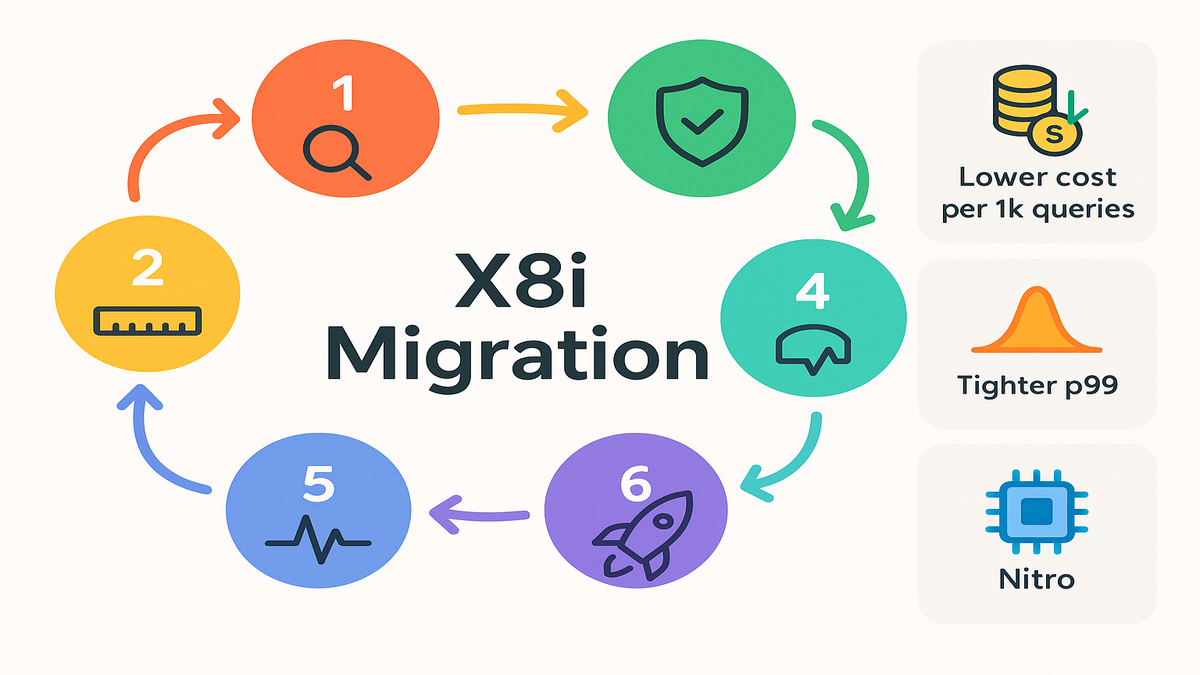
Baseline the pain
Export telemetry for 1–2 weeks: working set size, page faults, and p95/p99 latency. Track EBS throughput during snapshots. Confirm bottlenecks are memory, not CPU or slow queries.
Add a load profile: peak hours, batch windows, backups, and change freezes. Know the potholes before you drive faster.
Right size a test target
Pick the smallest X8i that holds your hot set with 30–50% buffer. For HANA, follow SAP on AWS certification guidance. For caches, aim for MISS under 1% at peak.
Write acceptance criteria: target p99, acceptable MISS rate, and cost per 1k queries. No vibes—just numbers.
Test with traffic
Replay realistic traffic with peak concurrency. Measure cost per 1k queries and time-to-snapshot under load. Validate p99s flatten and page faults drop near zero.
Use production-like distributions. Synthetic uniform keys hide the hotspots that crush you Mondays.
Lock down security
Enable EBS encryption, IMDSv2, and GuardDuty. Consider Nitro Enclaves for sensitive workloads. Use placement groups for low-latency clusters.
Sanity checks: least-privilege IAM, KMS policies allowing restores, and alarms that only page humans when it’s truly on fire.
Prove HA and backups
Run failover drills. Verify EBS bandwidth, up to 40 Gbps, sustains restores within RTO. Document runbooks. Make them boring.
Test the “worst Wednesday”: one node fails at peak while a snapshot runs. If that survives, you’re probably good.
Roll out gradually
Migrate non-critical tenants first, then scale production. Watch cost telemetry alongside SLOs. If tail latencies drop and nodes consolidate, you’re winning.
Track rollback steps as carefully as rollout steps. Confidence grows when the escape hatch works.
FAQs
- What makes X8i different from other memory-optimized instances?
X8i emphasizes extreme memory capacity, up to 24 TiB, with DDR5 and high memory-to-vCPU ratios plus Nitro isolation. Net: bigger in-RAM sets, less spill, and more predictable p99s.
- Is X8i the right fit for SAP HANA?
Yes. HANA is a textbook in-memory database. Validate sizes against SAP certification notes, align memory-to-core ratios, and design HA with synchronous replication if RPO is near zero.
- How does the 40 Gbps EBS throughput help?
Heavy systems still write logs, snapshots, and checkpoints. Up to 40 Gbps EBS bandwidth keeps I/O from starving the app, especially during backups and failovers.
- When should I choose accelerators like Trainium or GPUs instead?
If your workload is ML training or massive tensor ops, accelerators win. X8i is for memory-bound databases and analytics, not matrix math marathons.
- Does GuardDuty cover EC2 and ECS?
Yes. GuardDuty provides managed threat detection for Amazon EC2 and Amazon ECS, spotting anomalies without heavy agent overhead.
- Where can I find the AWS EC2 X8i instances list?
Check the EC2 instance types catalog and filter by memory-optimized to see current X8i sizes and regions.
- How should I estimate memory headroom?
Start with your peak hot set, add 30–50% for growth and overhead like indexes and temp data, then pick the X8i size that clears it. Validate with a load test.
- Any gotchas with EBS performance?
Use io2 or io2 Block Express for predictable latency, stripe volumes for throughput, and monitor queue depth. Schedule snapshots away from peak unless SLOs allow it.
- Do I need a placement group if I’m mostly single-node?
Not required. But for tight tiers or replication pairs, a cluster placement group can shave microseconds and reduce jitter. Cheap insurance.
Deploy X8i Checklist
- Confirm memory bottlenecks via page faults and p99 latency.
- Choose an X8i size to fit hot set plus 30–50% growth.
- Use placement groups for locality and pin hot tiers to one AZ.
- Provision io2 or io2 Block Express and stripe volumes for throughput.
- Enable EBS encryption, IMDSv2, and GuardDuty; consider Nitro Enclaves.
- Load-test with peak traffic and measure cost per 1k queries.
- Run HA, failover, and snapshot-restore drills; verify RTO and RPO.
- Roll out in phases; monitor SLOs and consolidate nodes if stable.
You’re not chasing raw GHz—you’re buying time. When the working set fits in memory, life gets easier: fewer shards, retries, and pager alerts. EC2 X8i gives you the RAM wall you’ve been punching—without cluster sprawl. Start with one critical workload, capture latency and cost deltas, and let data sell the migration. Best part? Simpler diagrams, happier finance, and dashboards that stay green.
- “If it doesn’t fit in RAM, it doesn’t fit in your SLO.” That rule aged well.
References
- AWS EC2 Instance Types (Memory Optimized)
- AWS Nitro System Overview
- Intel 4th Gen Xeon (Sapphire Rapids) Overview
- Amazon ElastiCache for Redis
- SAP HANA on AWS (Overview and Certification Notes)
- Amazon GuardDuty (Service Overview)
- EBS Performance (io2 and Block Express)
- Amazon EC2 Placement Groups
- Elastic Network Adapter (ENA) Guide
- AWS Nitro Enclaves User Guide
- Configure Instance Metadata Service (IMDSv2)
- Amazon CloudWatch Overview
- AWS Well-Architected Reliability Pillar