
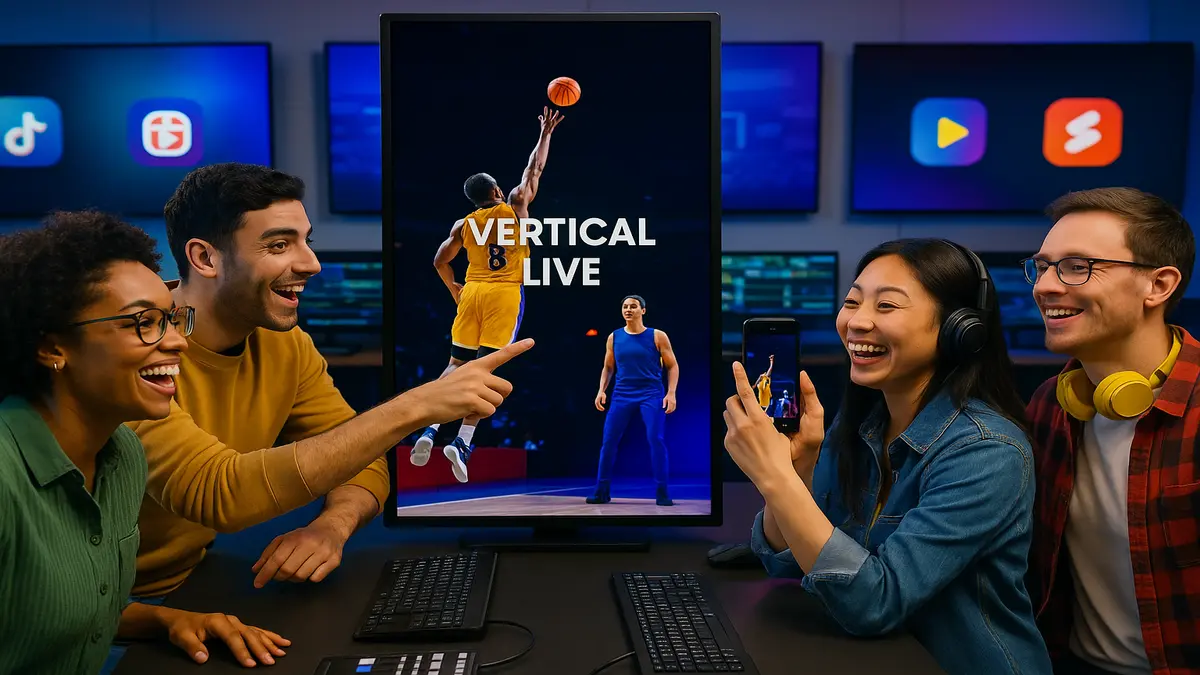
Your horizontal live stream gets buried on vertical feeds today. On TikTok, Instagram Reels, and YouTube Shorts, 16:9 looks tiny, honestly. It’s like a postcard slapped on a giant billboard, then ignored. That’s a fast path to getting swiped into oblivion, every single time.
Here’s the fix: AWS Elemental Inference reframes live and on-demand video automatically. It converts your feed into crisp 9:16 vertical in real time. No prompt engineering, no manual edits, and no re-encoding maze either. Think of it like an agent watching your stream and reading the room. It locks onto the action, crops cleanly, then outputs mobile-native renditions. Those vertical feeds are ready to publish the second they render.
Latency is measured in seconds, not minutes, which matters live. Workflow changes stay minimal, so your seasoned team won’t freak out. The upside is big, and you’ll feel it by show two. Cover the main show once, and let the system spin vertical. It cranks out shareable clips on autopilot, while you stay rolling. Your game-winning goal, keynote mic-drop, or backstage moment lands fast. It’s ready for Shorts before your audience can even text “link?”.
Bottom line: if live video isn’t vertical-friendly, you leave money. You’re losing reach, engagement, and ad dollars without even trying. AWS just made the switch easy, and kind of obvious.
- TL;DR
- Turn one landscape feed into multiple vertical outputs automatically.
- Real-time subject tracking keeps the action centered — no awkward crops.
- 6–10s end-to-end latency keeps highlights fresh for social.
- Plugs into AWS Elemental MediaLive with minimal changes.
- Auto-generate vertical clips with contextual metadata for instant posting.
- Pay-as-you-go, broadcast-grade reliability, and no AI team required.
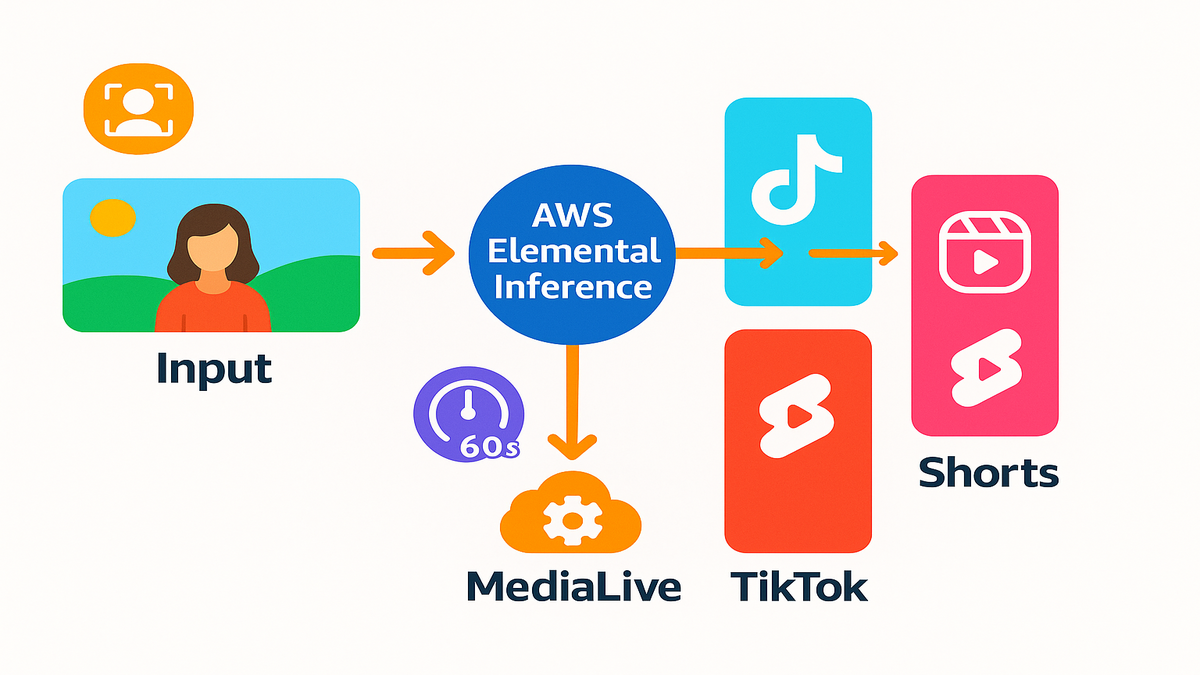
If you’ve been hacking vertical clips after the fact, this flips it. Instead of late-night edits and missed moments, you set it once. The system pumps out clean, social-ready vertical while moments still burn. The more events you run, the more the compounding kicks in. Consistent outputs, faster posts, and a team that can breathe.
From One Live Feed
Reframing without babysitting
AWS Elemental Inference runs as an agentic AI layer on your stream. It detects subjects and motion, reframes the shot, then outputs 9:16. No human in the loop and no prompts slowing things down. It tracks speakers on stage, strikers on breakaway, and performers under lights. Your vertical cut feels intentional, not some lazy crop afterthought.
Here’s how it plays out in the control room, for real. You monitor your primary 16:9 program just like you always do. In a preview window, you see the 9:16 cut follow everything. Faces stay centered, motion stays anchored, and details stay in frame. If two subjects enter, it adapts without drama or delay. If a stage light flares, it doesn’t panic or whip around. It’s built to keep the shot steady, watchable, and natural.
Pro tips for cleaner crops
- Frame your wide shot with extra headroom and lead room.
- Avoid extreme lower-thirds that eat the bottom third of frame.
- Keep mic flags, sponsor boards, and screens near the center.
Latency that fits the moment
Traditional post-production takes hours, which kills the moment. This takes seconds, which is a totally different game. With 6–10s latency, you can clip and ship while chat buzzes. That’s the difference between “first here” and “old news”, truly.
That short delay matters more than people think during events. Your social manager can grab a quote and add a caption. They’ll push it out before the timeline moves beyond it. Game highlights land while fans still yell in their chats. Your Q&A answer won’t get buried under tomorrow’s headlines.
Use it to
- Pre-schedule vertical posts for the next few minutes.
- Pin a fresh clip to the top of your fan community.
- Trigger app notifications linking to a just-captured short.
with your encoder
Inference snaps into AWS Elemental MediaLive without drama or churn. It’s the live processing backbone many teams already rely on. According to the product description, “AWS Elemental MediaLive is a broadcast-grade live video processing service,” built to run 24/7 channels and pop-up events. You don’t need to re-architect anything or buy new stuff. Enable AI features, keep your encoders, and keep your CDN path. Hold your SLAs, then just add vertical outputs alongside everything.
In practice
- Keep your existing RTMP or contribution workflow as-is.
- Add 9:16 profiles and destinations next to current outputs.
- Preserve ad markers, captions, and packaging for linear or OTT.
Process once optimize everywhere
Multiple AI features run in parallel against a single input. Reframing, highlight detection, and clip packaging can fire together. You produce one master feed and the service fans it out. You get vertical streams and snackable clips for top platforms. No reruns through your pipeline, and no forgotten steps.
This “one input, many outputs” model reduces brittle handoffs. You avoid sidecar scripts and mystery cron jobs failing late. No last-second re-exports dying five minutes before showtime. One pass in, many assets out — consistent, tagged, and on time.
Why Vertical Live Wins
Vertical is the native language
Your audience scrolls social for hours every single day. Datareportal’s 2024 report pegs social time over two hours daily. That time is dominated by vertical-first formats on every platform. Full-screen real estate rules, especially on modern phones today. If it isn’t vertical, you’re renting a corner of the screen. Meanwhile, competitors own the frame and own the attention.
On a phone, full-screen means less friction and more clarity. No pinch-to-zoom, no black bars, and no guessing involved either. Your message fills the display, and your brand feels native.
Algorithm incentives favor native formats
Platforms prioritize videos that feel made for the feed. Quick to consume, framed for phones, and packed with context. Native vertical posts usually pull stronger completion rates and watch time. There’s no extra mental tax, which keeps people watching longer. When a live moment hits, the platform wants it surfaced now. They want it now, not after your editor finally wakes up.
A small win stacks daily when you scale your clips. Vertical framing cuts the chance a viewer bounces early. Multiply that across clips and you pull people deeper.
Creative teams are tapped out
Editors are stretched thin and social teams juggle platforms. Manually reframing live feeds is slow and error-prone work. Automation unlocks scale without burning your people out. Keep creative control on the primary program and the show. Let AI handle downstream optimization without breaking things.
Think of it as freeing your best folks from pixels. They can focus on hooks, headlines, captions, and packaging. That’s the work that actually moves the needle forward.
Pays off
HubSpot’s 2024 State of Marketing calls short-form highest-ROI. That matches what you see in the real world right now. Rapid testing and immediate feedback loops drive faster wins. Breakout moments hit outsized reach when timing is perfect. If your live stack mints platform-native clips instantly, you win. You compound those odds at every event on your calendar.
“Make the main thing the main thing” still applies here. Let production nail the show and let AI spin the feeds. Those are the feeds that win mobile and win time.
Playbooks You Can Run
Sports Highlights
- Live use case: a striker slips two defenders and bags a goal.
- What happens: Inference tracks play, reframes 9:16, and builds a highlight.
- It generates a clean 12–20s vertical with useful metadata tags.
- Tags include scorer, period, and scoreline, which help distribution.
- Your social queue receives it in seconds, not minutes or hours.
- Your app’s push team gets a clip link automatically for fans.
- Result: instant shareability while stadium noise is still peaking.
Pro moves
- Add a subtle goal stinger and scoreboard to the vertical version.
- Pin the clip in your team app and reply in the live thread.
- Bundle three micro-moments into a first-half recap 60 seconds later.
News and events
- Live use case: a CEO drops a surprise product stat on stage.
- What happens: the agent keeps the speaker centered and steady.
- It catches the audience reaction and auto-clips the sound bite.
- Your team adds a chyron downstream in MediaConvert if needed.
- You publish to Reels during the Q&A while it’s still hot.
- Result: you own the quote before aggregator accounts even react.
Pro moves
- Pair the clip with a chart card in the second post.
- Thread the follow-up under your first clip to keep momentum.
- Add alt text and a concise on-screen title for accessibility.
Creators and brands
- Live use case: creator livestream with product demos and Q&A.
- What happens: the service reframes to vertical for TikTok LIVE.
- It generates timestamped clips for Shorts during and after.
- It packages a highlight reel for Instagram, also while live.
- Your main 16:9 stays pristine for YouTube and OTT playback.
- Result: more content with the same crew and same cameras.
Pro moves
- Use consistent hooks like “Watch this upgrade in 12 seconds”.
- Keep captions tight, high-contrast, and away from faces.
- Add a comment with links to resources right when it posts.
Why this works
- “Process once, optimize everywhere” means no re-encoding purgatory.
- Subject-aware crops feel intentional, not chaotic and messy.
- Latency under ~10s keeps you inside the trend window.
Bonus plays
- Education: clip “aha” explanations and lab demos as 15–30s explainers.
- Worship and community: pull music swells and key sermon lines.
- Esports and gaming: tight 9:16 clutch plays with chat overlays.
Half Time Huddle
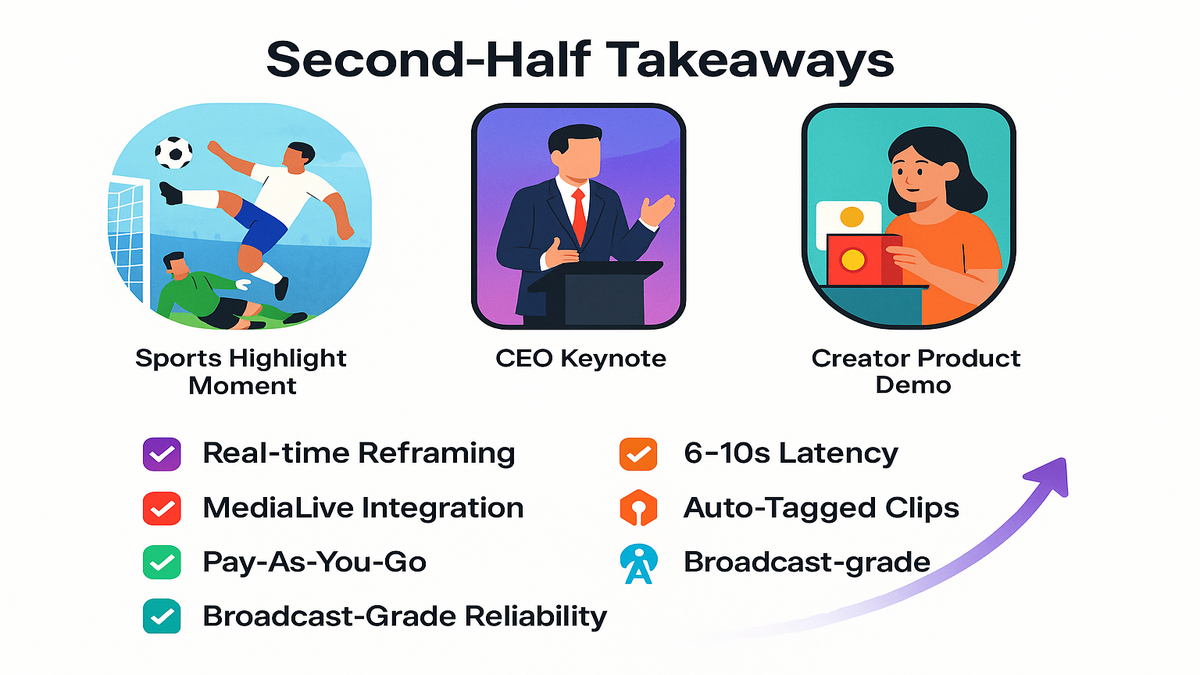
- You can turn one landscape stream into multiple vertical-native outputs.
- AI handles subject tracking and reframing in real time — no prompts.
- 6–10s latency keeps live moments fresh for TikTok, Reels, and Shorts.
- MediaLive integration means minimal workflow changes for broadcast teams.
- Auto-generated clips come pre-tagged for fast publishing and search.
- Net effect: more reach, more engagement, same production footprint.
If this sounds like “more with less,” that’s absolutely the point here. You keep pro-grade workflows and get vertical-native reach as multiplier. It’s a multiplier, not a second job waiting to burn you out.
Under The Hood
AI that sees shot
Inference rides managed foundation models tuned for broadcast scenarios. Computer vision uses pose estimation, motion vectors, and optical flow. It locks onto the subject while audio and scene cues flag excitement. The agent runs multistep tasks — detect, reframe, and clip — autonomously.
For smaller screens
- Faces stay in frame during walk-and-talks, which helps clarity.
- Fast pans won’t yeet the subject completely out of view.
- Group shots feel composed, not chaotic or jumpy at all.
You can set defaults like tighter or looser crops per format. Let the system learn what’s comfortable for your style and brand. The goal isn’t flashy AI; it’s simple watchability that just works.
Built on media backbone
MediaLive handles ingest, switching, and encoding around the clock. It runs 24/7 channels and tentpole events without constant babysitting. Pair it with MediaConnect for secure, reliable contribution links. Use MediaPackage for just-in-time packaging and DRM at scale. Use MediaTailor for server-side ad insertion across supported devices. You get end-to-end, cloud-native resilience without point-solution glue.
If you need VOD post-processing later, use MediaConvert features. Overlays, burn-ins, and format conversions slot right into workflows. Meanwhile, your vertical clips keep flowing without interruption.
Security and compliance
No surprise shadow IT sneaks in through side doors here. The stack inherits AWS security, managed updates, and full observability. You maintain IAM, VPC, and KMS patterns you already trust. For mission-critical events, use AWS Media Event Management support. MEM provides white-glove guidance and pre-event readiness reviews.
Brand safety, rights, and region controls remain in your court. Your governance doesn’t change just because the framing changed.
Cost clarity and scale
You pay for only what you actually use today. Spin up for a weekend tournament and spin down after whistles. AI features run in parallel on a single input for efficiency. You avoid redundant passes through your delicate pipeline entirely. Practical takeaway: higher output-per-dollar without ballooning headcount.
Simple ROI framing
- One input feed → multiple outputs and clips, fast.
- Same crew → more posts per hour, consistently.
- Faster posts → more watch-time and discovery chances.
Your Stack
Expect smarter more personal outputs
As models evolve, expect several quality-of-life boosts very soon.
- Multi-language subtitles burned into clips for instant accessibility.
- Dynamic, data-driven graphics that auto-fit 9:16 smartly and cleanly.
- Audience-aware variants like slower motion or tighter crops per device.
You’ll spend less time wrangling format and more on the story.
Rights measurement and monetization
Vertical isn’t only reach; it’s real revenue for modern teams. With MediaTailor, test ad load and placements for short-form cadence. Use consistent metadata for search, recommendations, and syndication. That includes players, segments, and timestamps attached to clips.
For privacy-safe attribution and cross-channel insights, consider this. Build audiences tied to Amazon’s ecosystem with AMC Cloud. Here’s the link for digging in: https://remktr.com/amc-cloud.
Team design
Editors shift from “reframe and export” to “package and publish”. That means clearer roles, faster approvals, and more testing. Standardize templates once and let the AI fill them daily.
Practical shifts
- Pre-built caption styles and thumbnail templates you reuse.
- A daily cadence of highlight drops replaces weekly scrambles.
- Fewer Slack pings begging for last-minute re-exports.
Build the habit now
Winners aren’t just great at live; they productize every moment. Turn every live moment into a mobile-native artifact worth saving. Ship more bites, faster, and measure what actually sticks. Double down on what works and trim what doesn’t quickly.
Make it routine and boring, which is how scale happens.
- Always-on vertical output during every single live.
- A rolling queue of 5–10 micro-clips per event.
- Post-show “winners” recap to extend your content tail.
FAQs Your Top Questions
Replace editor or TD
No, it removes tedious reframing and clip extraction work. Your team can focus on storytelling, graphics, and distribution tasks. Think of it as automation that scales output without adding headcount.
Need to integrate it
If you’re on AWS Elemental MediaLive, just enable the AI features. Connect downstream services based on your current workflow needs. Typical pairings include MediaConnect, MediaPackage, and MediaTailor. Use MediaStore or S3 for storage, depending on your preference.
How fast are outputs
The service targets roughly 6–10 seconds end-to-end latency. That’s from live moment to vertical output or shareable clip. It’s fast enough to ride the social wave in real time.
Crops cut off key action
The agent uses subject detection and motion tracking to center action. It’s built for edge cases like fast pans or multiple moving subjects. Crops feel intentional and stay watchable under tough conditions.
Keep my broadcast untouched
Yes, your primary program feed continues as-is without interference. Linear and OTT stay pristine while AI generates vertical outputs. You produce once and then optimize everywhere you publish.
How does this affect costs
You pay as you go and avoid redundant encoding passes entirely. One input spawns multiple assets without extra operators overnight. Many teams see higher output-per-dollar almost immediately.
Brand the vertical outputs
Yes, keep brand elements simple, high-contrast, and safe-area aware. Add overlays in a downstream step like MediaConvert for cleanliness. They’ll look sharp on 9:16 without covering faces or hands.
Subject leaves the frame
The system re-centers smoothly or widens to keep proper context. If it’s ambiguous, you’ll get a stable and safe crop. That’s better than a jittery chase that makes people bounce.
Review clips before post
Yes, keep a short moderation step in your CMS or scheduler. With 6–10s latency, a human can still approve and ship. You stay fast without giving up basic quality control.
Do I need special hardware
No changes are required to cameras or your switcher at all. You integrate at the MediaLive level and enable AI features. Then route outputs to your usual publishing destinations.
Vertical Live Checklist
1) Ingest: point your primary 16:9 feed to AWS Elemental MediaLive. 2) Enable AI: turn on Inference for vertical reframing and clip generation. 3) Map outputs: define 9:16 profiles and destinations across platforms. 4) Tag metadata: standardize players, speakers, segments, and timestamps. 5) Test: run a quick rehearsal and verify crops, latency, and audio. 6) Automate: wire MediaPackage, MediaTailor, and your CMS downstream. 7) Go live: monitor key moments and publish clips within seconds. 8) Iterate: review completion rates and repost winners across platforms.
Pro tip during rehearsal
If those three look great in 9:16, your real show will sing.
Here’s the kicker: the sooner you ship vertical alongside live, you learn. You learn faster what your audience wants and will actually share. The compounding curve starts with your very next stream.
“Make once, monetize everywhere” beats “edit forever, post later” forever.
Want proof in market? Browse our Case Studies here for wins. They’re right here if you want a shortcut: https://remktr.com/case-studies.
If you’ve read this far, you already know the move here. Keep your A-show in 16:9 and let AI handle the phones. One stream in, and many wins arrive out the other side. See you on the For You page, probably sooner than later.
References
- AWS Elemental MediaLive product page: https://aws.amazon.com/medialive/
- AWS Elemental MediaConnect: https://aws.amazon.com/mediaconnect/
- AWS Elemental MediaPackage: https://aws.amazon.com/mediapackage/
- AWS Elemental MediaTailor: https://aws.amazon.com/mediatailor/
- AWS Media Event Management (MEM): https://aws.amazon.com/solutions/implementations/media-event-management/
- AWS Elemental MediaConvert: https://aws.amazon.com/mediaconvert/
- Amazon Simple Storage Service (S3): https://aws.amazon.com/s3/
- Datareportal — Digital 2024 Global Overview: https://datareportal.com/reports/digital-2024-global-overview-report
- HubSpot — The State of Marketing 2024 (short-form ROI): https://www.hubspot.com/state-of-marketing